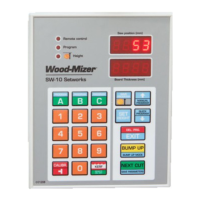
OPERATION
Start-up Settings of the Controller
2
2-5 SW-10doc032018 OPERATION
Switch on the controller and wait until the text ’’SW-10” disappears.
Set the head with the blade at the height of 150 mm.
Press and hold down . The text ’’Auto CALL” will appear on the display. The controller is now
ready for auto-calibration.
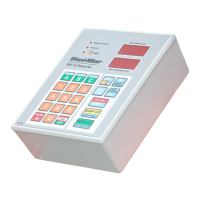
See Figure 2-3.
Press . The controller will perform two downward head movements and then nine upward
movements. After the last movement, ’’End Call”will be shown in the display window.
NOTE: It is recommended that the auto-calibration procedure should be
performed every 25 hours of operation or twice a week to ensure the highest
possible sawing accuracy.
NOTE: If, during the downward movement, the saw head hits the stop bolt,
set the head a little higher than previously and repeat the auto-calibration
procedure.
4. Entering Real Blade Height Dimensions
Check if the blade height shown on the display is correct. To do that, use the blade height scale on the
sawmill or measure the distance between the blade and the sawmill bed.
FIGURE 2-3


 To Next Page
 Loading...