EasyManua.ls Logo

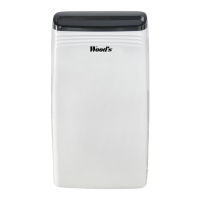
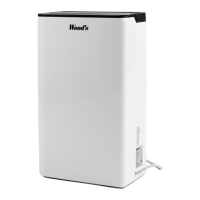
Woods MRD20 - User Manual

Woods MRD20
4 pages
Print Icon
To Next Page IconTo Next Page
Loading...
DEHUMIDIFIER
Woods MRD20 Operation Manual

Other manuals for Woods MRD20

Questions and Answers

  • L
    lacey94Jul 27, 2025
    How to troubleshoot a Woods MRD20 Dehumidifier that doesn't start?
    • S
      Steven FrancoJul 27, 2025
      If your Woods Dehumidifier isn't starting, first, ensure it's properly connected to electricity and that the fuse hasn't blown. Also, if the warning light is illuminated, verify that the water reservoir is empty and correctly positioned. Finally, make sure the float is moving freely.
  • M
    Melissa GordonAug 2, 2025
    What to do if my Woods Dehumidifier does not dehumidify?
    • A
      Andrew AllenAug 2, 2025
      If your Woods Dehumidifier isn't dehumidifying, make sure the fan is spinning. Check that air flows freely through the unit; the front grid and air filter should be clean, and the dehumidifier should be 20-30 cm from the wall. Listen for the compressor sound, keeping in mind it may be in a dehumidifying cycle when the compression stops (wait about 35 minutes initially). Also, check for thick ice on the cooling coils.
  • C
    Curtis MorrisAug 8, 2025
    Why is there ice forming on the cooling coils of my Woods MRD20 Dehumidifier?
    • K
      Katherine EstradaAug 8, 2025
      Ice formation on the cooling coils of your Woods Dehumidifier could be due to a blocked air passage. Remove the air filter at the rear and check for any dust or fluff obstructing airflow through the machine. Alternatively, the timer that controls defrosting may be broken, preventing the compression from stopping regularly.
  • C
    Charlene EsparzaAug 14, 2025
    What to do if my Woods MRD20 doesn't turn off when the water reservoir is full?
    • T
      travis52Aug 14, 2025
      If your Woods Dehumidifier doesn't turn off when the water reservoir is full, ensure that the float moves freely within the reservoir. If the float is stuck, it won't respond to the water level and prevent the dehumidifier from stopping.
  • J
    Jessica ContrerasAug 19, 2025
    How to reduce the noise level of my Woods MRD20 Dehumidifier?
    • M
      Marcus RichardsonAug 20, 2025
      To reduce the noise level of your Woods Dehumidifier, increase the distance between the dehumidifier and any surrounding surfaces.

Summary

Technical Drawings

Operating Instructions

Trouble Shooting

Lists common problems and their solutions for the dehumidifier.

General Warnings and Guidelines

Provides essential safety and usage advice for the appliance.

Using Your Dehumidifier

Woods - The Worlds Leading Dehumidifiers

Introduction to Wood's brand and dehumidifier capabilities.

Excessive Air Humidity - A Danger

Explains the risks of high humidity and the benefits of dehumidification.

Placement of your Dehumidifier

Guidance on optimal positioning for effective dehumidifier performance.

Using the Dehumidifier

Instructions on operating the dehumidifier, including compressor behavior.

Control Panel

Overview of the buttons and indicators on the dehumidifier's control panel.

Low Temp. Mode

Details on how the dehumidifier operates in low temperature conditions.

Water Tank

Information on the water tank indicator and automatic compressor shutdown.

Drainage of Water

Instructions for continuous water drainage using a hose connection.

Defrost

Explanation of the automatic defrost cycle for the cooling coils.

The Air Filter

Guidance on cleaning and maintaining the air filter for optimal airflow.

Hints

Tips for using the dehumidifier in challenging environments or conditions.

Cleaning and Maintenance

Steps for cleaning the unit and general maintenance procedures.

When the Dehumidifier Requires Servicing

Instructions on contacting service and warranty claim procedures.

Guarantees

Information regarding the product guarantee and purchase receipt requirements.

Recommended Limits for Use

Specifies the optimal temperature and humidity ranges for operation.

Important

Key information regarding power connection and safety for the dehumidifier.

Woods MRD20 Specifications

General IconGeneral
ModelMRD20
CategoryDehumidifier
Water Tank Capacity4 liters
RefrigerantR290
Dehumidification Capacity20 liters/day
Operating Temperature Range5°C to 35°C
Coverage Area100 m²

Related product manuals