EasyManua.ls Logo

Woods M10 - User Manual

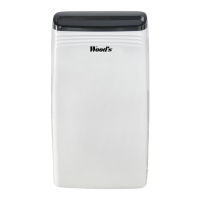
Woods M10
19 pages
Print Icon
To Next Page IconTo Next Page
Loading...
Wood’s dehumidier M10
Users manual

Questions and Answers

  • E
    edwardchristensenJul 27, 2025
    What to do if my Woods M10 Dehumidifier unit doesn’t start?
    • C
      Christina MaldonadoJul 27, 2025
      If your Woods Dehumidifier unit doesn’t start, it could be due to a blocked filter or jammed air inlet/outlet. First, try cleaning the filter. If that doesn't work, check the air inlet and outlet for any blockages and clear them.
  • R
    Ryan GonzalesAug 4, 2025
    Why is my Woods M10 Dehumidifier not working?
    • T
      Tyler Mcdaniel Jr.Aug 4, 2025
      Your Woods Dehumidifier might not be working because the power cord isn't properly connected to a power outlet. Ensure the unit is connected. Also, the room temperature could be a factor. If the room temperature is over 35°C or below 5°C, the dehumidifier might not function correctly. Try to adjust the room temperature accordingly.
  • H
    Haley MillerAug 11, 2025
    Why does my Woods M10 Dehumidifier make abnormal noise?
    • S
      Susan JamesAug 11, 2025
      Abnormal noise from your Woods Dehumidifier can be caused by a couple of things. First, check if the unit is on a flat and solid surface. If it's inclined, move it to a more stable location. Also, a blocked filter can sometimes cause unusual noises, so try cleaning the filter.
  • A
    austinbradleyAug 19, 2025
    What to do if my Woods Dehumidifier shows error code E1?
    • S
      Sandra RayAug 19, 2025
      If your Woods Dehumidifier is showing an error code E1, it indicates a humidity sensor malfunction. The suggested solution is to contact your retailer.

Summary

Workings of Your Dehumidifier

Security Warnings

Read security warnings before installation and use. Failure to follow may void warranty or create fire hazard.

Installation and Placement

Guidance on placing the dehumidifier for optimal performance and safety, including distance from walls and heat sources.

Operating the Dehumidifier

Start, Stop, and Humidity Settings

Instructions for starting, stopping, setting desired humidity levels (30-90%), and continuous operation (CO).

Automatic Shut-Off Timer

How to set the automatic shut-off timer for 1-24 hours and deactivate it.

Water Drainage Options

Details on draining the water reservoir and direct water drainage using a hose.

Air Filter Maintenance

Importance of regular air filter cleaning with warm water and mild detergent or vacuuming.

Maintenance, Service, and Technical Data

General Maintenance

Cleaning the unit with a soft cloth and cooling coils with warm water.

Service and Warranty

Information on contacting retailers for service and details on the 2-year product warranty.

Operating Hints

Tips for optimal performance, including maintaining humidity levels and considering ambient temperature.

Technical Specifications

Key technical data including working area, air flow, capacity, power, sound level, and dimensions.

Trouble Shooting

Guidance on common issues like unit not working, no air inlet, or abnormal noise, with suggested solutions.

Contact Information

Manufacturer and Distributor Details

Contact details for Wood's, including marketing and distribution by TES Scandinavia AB, address, phone, and website.

Woods M10 Specifications

General IconGeneral
BrandWoods
ModelM10
CategoryDehumidifier
LanguageEnglish

Related product manuals