Trouble Cause Solution
The dehumidier doesn’t
work
Is the power cord connected? Connect the unit to a power outlet
Is the room temperature over 35°C or below
5°C?
Increase or decrease room tempe-
rature
The unit doesn’t start Is the lter blocked? Clean the lter
Is the air inlet or air outlet jammed? Clear the blockage
No air inlet Is the lter blocked? Clean the lter
Abnormal noise Is the unit inclined? Move the unit to a at and solid
ground
Is the lter blocked? Clean the lter
Error code E1 Humidity sensor malfunction Contact your retailer
Maximum working area 40 m
2
Recommended working area 2-30 m
2
Air ow 150 m
3
/h
Capacity (at 30ºC & 80% RH) 10 litres
Volume water bucket 2 litres
Rated power 240 W
Sound level 42 dB
Working interval temperature +5°C to +35°C
Fan speeds 1
Dimensions 276x185x480 mm
Weight 10 kg
Cooling media R134 A
Trouble shooting
If you are having trouble with your dehumidier, please refer to below trouble shooting. If nothing of the below works,
please contact your retailer for servicing of your dehumidier.
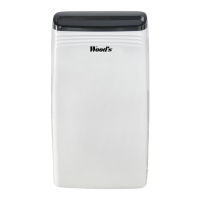
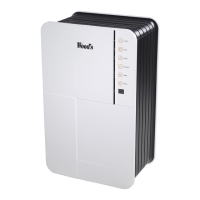
Technical data Wood’s M10
English
This marking indicates that this product should not be disposed with other household wastes throughout the EU. To prevent possible
harm to the environment or human health from uncontrolled waste disposal, recycle it responsibly to promote the sustainable reuse of
material resources. To return your us device, please use the return and collection systems or contact the retailer where the product was
purchased. They can take this product for environmental safe recycling.


 To Next Page