EasyManua.ls Logo

Woodstock W1876 - User Manual

Woodstock W1876
56 pages
Print Icon
To Next Page IconTo Next Page
Loading...
W1876 Only
262149
OWNER'S MANUAL
(FOR MODELS MANUFACTURED SINCE 7/20)
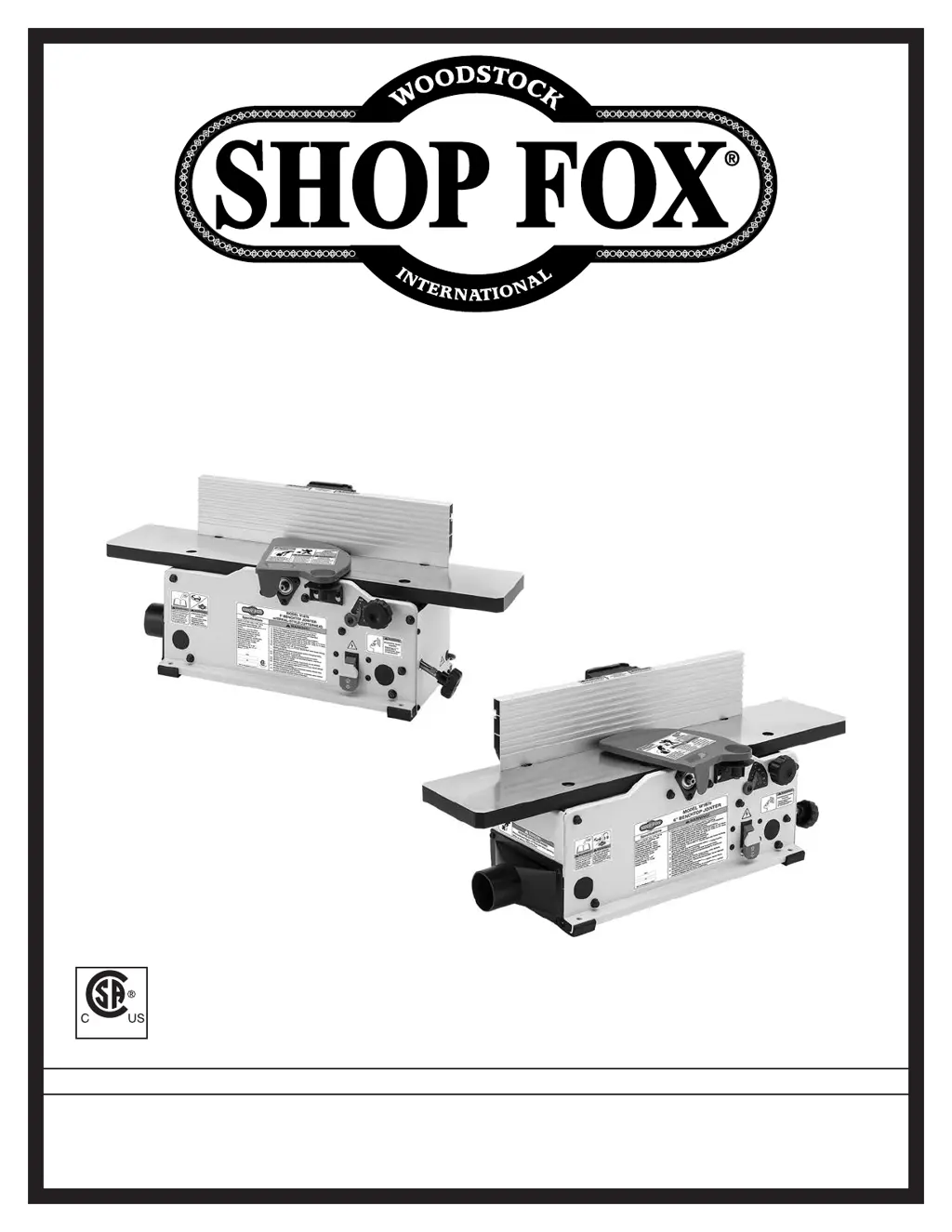
MODEL W1876/W1879
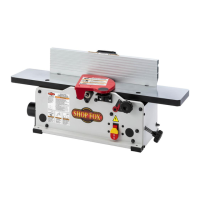
6" BENCHTOP JOINTERS
Phone: (360) 734-3482 Online Technical Support: techsupport@woodstockint.com
COPYRIGHT © AUGUST, 2020 BY WOODSTOCK INTERNATIONAL, INC., REVISED MAY, 2021 (KS)
WARNING: NO PORTION OF THIS MANUAL MAY BE REPRODUCED IN ANY SHAPE OR FORM WITHOUT
THE WRITTEN APPROVAL OF WOODSTOCK INTERNATIONAL, INC.
#21199KS Printed in Taiwan
V2.05.21

Questions and Answers

  • J
    johnny25Aug 18, 2025
    Why won't my Woodstock Power Tool start?
    • S
      Sandra MccannAug 18, 2025
      If your Woodstock Power Tool machine doesn't start or the power supply breaker trips immediately after startup, here's what you can check: * Ensure the switch disabling key is installed. * Verify the power supply voltage and circuit size are correct. * Make sure the circuit is sized correctly and free of shorts; reset the circuit breaker or replace the fuse if needed. * Repair any broken wires or fix disconnected/corroded connections. * Consider replacing the motor brushes, the ON/OFF switch, or even the entire motor if they are faulty.
  • P
    Patricia RollinsAug 20, 2025
    What to do if my Woodstock Power Tool is stalling?
    • L
      Lisa JohnsonAug 20, 2025
      If your Woodstock Power Tool machine is stalling or seems underpowered, it could be due to several reasons. First, ensure you're only cutting wood with a moisture content below 20%. Also, try decreasing the feed rate or cutting speed. Check if the workpiece is crooked or the fence is loose, and adjust accordingly. Other potential causes include a slipping belt, misaligned pulleys, incorrect motor wiring, worn motor brushes, a slipping pulley on the shaft, using a machine undersized for the task, an extension cord that's too long, or a faulty motor. Check these components and adjust or replace them as necessary.
  • C
    Christopher WeissAug 23, 2025
    How to reduce vibration in my Woodstock W1876 Power Tool?
    • C
      Cheryl HarperAug 23, 2025
      If your Woodstock Power Tool machine is vibrating or operating noisily, start by checking for loose components and tighten or replace any damaged bolts or nuts. Inspect the V-belt for wear, looseness, or misalignment, and realign the pulleys if needed. Also, examine the knives and gibs, resharpening or replacing the knives as necessary and ensuring correct knife alignment and height. Secure any loose pulleys on the shaft and ensure the machine is correctly mounted to the workbench, adjusting the feet, shimming, or tightening the mounting hardware as needed. Finally, inspect the motor mount and cutterhead bearings, tightening or replacing them if they are loose or broken, and test the motor bearings by rotating the shaft to check for grinding or looseness.
  • C
    Craig BrayAug 26, 2025
    Why is my Woodstock W1876 Power Tool leaving rough cuts?
    • B
      Brian MartinezAug 26, 2025
      If you're experiencing workpiece chipping, tear-out, indentations, or overall rough cuts with your Woodstock Power Tool, start by inspecting the workpiece for roughness, loose knots, or surface flaws, and use smooth stock without these issues. Ensure you're feeding the workpiece with the grain and not against it. Check the knives or inserts for dullness, nicks, or chips, and sharpen, rotate, or replace them as necessary. Reduce the feed rate and depth of cut. Finally, ensure proper dust collection and clear any blockages in the dust port, upgrading the dust collector if necessary.
  • A
    arthurharrisonAug 28, 2025
    How to prevent fuzzy grain with my Woodstock W1876?
    • S
      smithjamesAug 28, 2025
      If your Woodstock Power Tool is leaving fuzzy grain on the workpiece, it could be due to high moisture content in the wood. Ensure the wood moisture content is less than 20% and allow it to dry if necessary. Also, check the knives or inserts for dullness and sharpen or replace them as needed.
  • A
    Alan Smith DDSAug 30, 2025
    Why is my Woodstock W1876 leaving lines on the board?
    • H
      Heather TurnerAug 30, 2025
      If you notice long lines or ridges running along the length of the board when using your Woodstock Power Tool, it's likely due to nicked or chipped knives or inserts. Replace the knives or rotate/replace the inserts. If you're using a spiral cutterhead, check for loose or incorrectly installed inserts, and remove/replace them properly. Also, inspect for dirt or debris under the carbide inserts, and clean the bottom of the insert/cutterhead mounting pocket before reinstalling.
  • W
    williamwatersSep 2, 2025
    What causes chatter marks on my Woodstock W1876?
    • D
      Danielle MathisSep 2, 2025
      If you're getting uneven cutter marks, a wavy surface, or chatter marks across the face of your workpiece with your Woodstock Power Tool, try reducing the feed rate. Also, check that the knives or inserts are adjusted at even heights in the cutterhead, adjusting them as needed. If using a spiral cutterhead, remove any inserts that are "raised" in the cutterhead, clean them, and reinstall them. Additionally, inspect for dirt or debris under the carbide inserts, and clean the bottom of the insert/cutterhead mounting pocket before reinstalling.
  • J
    Jessica SwansonSep 4, 2025
    Why is my Woodstock W1876 burning the wood?
    • Y
      Yolanda SchwartzSep 4, 2025
      If your Woodstock Power Tool is producing a glossy surface or causing scorching/burn marks on the workpiece, the knives or inserts may be dull. Sharpen or replace them. Also, the feed rate might be too slow, so try increasing it.
  • A
    Ann RuizSep 7, 2025
    Why is my Woodstock W1876 Power Tool cutting a concave shape?
    • F
      Frank FrazierSep 7, 2025
      If your workpiece is concave or convex along its length after using your Woodstock Power Tool, ensure you're holding the workpiece with even pressure against the outfeed table during the cut. If the workpiece is too uneven at the start, take partial cuts to remove extreme high spots before doing a full pass. Also, check and adjust the table parallelism to ensure they are parallel with the cutterhead body and each other.
  • P
    pollardjessicaSep 9, 2025
    Why is my Woodstock Power Tool cutting at an angle?
    • W
      winterstoddSep 9, 2025
      If your Woodstock Power Tool is producing workpiece edges that aren't square or resulting in a tapered cut, make sure the fence is square to the table(s) and that the fence tilt is locked. If the infeed or outfeed table is warped, consider regrinding or replacing it. Additionally, ensure the knives or inserts are adjusted at even heights in the cutterhead.

Summary

INTRODUCTION

Woodstock Technical Support

Provides information on technical support and contact details for assistance.

MODEL W1876 SPECIFICATIONS

Fence, Cutterhead, and Insert Information

Details fence, cutterhead type, diameter, speed, and insert specifications.

MODEL W1879 SPECIFICATIONS

Fence, Cutterhead, and Knife Information

Details fence, cutterhead type, speed, and knife specifications.

IDENTIFICATION

Controls and Components Description

Identifies and describes the main controls and components of the jointer.

SAFETY

Standard Machinery Safety Instructions

Outlines general safety guidelines for operating machinery.

Personal Safety and Hazard Awareness

Advises on apparel, protection, hazards, and safe operating practices.

Machine Operation Safety Practices

Covers stable machine, unattended operation, maintenance, and power cord safety.

ADDITIONAL SAFETY FOR JOINTERS

Kickback Prevention and Guarding

Explains kickback, guarding, and workpiece handling for jointer safety.

Cutting Limitations and Feed Techniques

Covers safe cutting depths, grain direction, and proper feeding for jointers.

ELECTRICAL

Circuit and Grounding Requirements

Specifies power supply circuit needs and the importance of proper machine grounding.

Extension Cord Guidelines

Provides guidelines and recommendations for using extension cords with the machine.

SETUP

Unpacking, Inventory, and Setup Items

Details unpacking, items needed, and inventory of machine components and hardware.

Machine Placement, Mounting, and Assembly

Advises on location, cleaning, mounting, and assembly procedures for the machine.

Dust Collection and Test Run

Covers dust collection setup and the procedure for performing a test run.

OPERATIONS

General Operation and Stock Preparation

Overview of machine use, stock inspection, depth of cut, and squaring.

Jointing Techniques

Covers surface planing, edge jointing, and bevel cutting procedures.

ACCESSORIES

Jointer Tool Table Plus

Describes an optional table that accommodates larger benchtop machines.

Replacement Cutter Inserts and Knives

Lists replacement carbide inserts for W1876 and SK5 steel knives for W1879.

Dust Collection Accessories

Details reducer fittings for dust collection and a wall-mount dust collector.

MAINTENANCE

Ongoing and Monthly Checks

Lists regular checks for machine operation, safety, and upkeep.

Cleaning, Protecting, and Lubrication

Provides instructions for cleaning, protecting surfaces, and lubricating components.

SERVICE

Cutterhead Service (Inserts & Knives)

Details rotating/replacing inserts (W1876) and checking/setting knives (W1879).

Table and Fence Adjustments

Covers checking/adjusting table parallelism and fence positive stops.

Belt and Motor Brush Replacement

Guides on replacing drive belts and motor brushes for machine upkeep.

TROUBLESHOOTING

Motor & Electrical Problems

Covers common issues with motor starting, power, and electrical faults.

Operation and Performance Issues

Addresses problems like table adjustment, workpiece snipe, rough cuts, and surface finish.

ELECTRICAL SAFETY INSTRUCTIONS

General Electrical Safety Guidelines

Provides crucial safety warnings and guidelines for electrical work on the machine.

Wiring Diagram and Overview

Presents the wiring diagram and an overview of the electrical connections.

PARTS

Main Assembly Exploded View

Shows an exploded view of the main components and their reference numbers.

Main Parts List and Labels

Provides a detailed list of parts, their descriptions, part numbers, and machine labels.

WARRANTY

Warranty Terms and Conditions

Outlines the warranty period, coverage, and registration process.

Woodstock W1876 Specifications

General IconGeneral
BrandWoodstock
ModelW1876
CategoryPower Tool
LanguageEnglish

Related product manuals