
 Need help?
Do you have a question about the Worcester Greenstar 1000 and is the answer not in the manual?
Defines signal words and symbols used to indicate risks and important information.
Provides essential safety guidelines for operating the appliance and preventing hazards.
Details requirements for annual servicing by a qualified engineer and the importance of the service record.
Instructions for powering the appliance on and off, including frost protection.
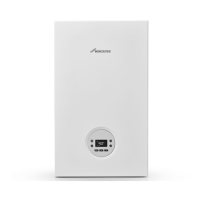
Identifies and explains the function of each button and indicator on the appliance's control panel.
Explains the digital display and various symbols indicating appliance status and functions.
Guides users through basic checks and interpreting fault codes displayed on the appliance.
Advises immediate contact with a qualified engineer for specific Fault 2980 error.
Provides advice on optimizing heating system settings for efficiency and fuel saving.
Presents technical data on the appliance's energy consumption, efficiency, and emissions as per EU regulations.
This document provides user instructions for the Worcester Greenstar 1000 gas-fired condensing combi appliance, specifically models GR1000W 24 C NG and GR1000W 30 C NG. It covers operation, maintenance, safety, and energy-saving tips, aiming to ensure safe, efficient, and reliable use of the heating system.
The Greenstar 1000 is a gas-fired condensing combi appliance designed for both boiler water heating and domestic hot water (DHW) heating. It operates as a sealed heating system, meaning it is pre-pressurized before operation, and this pressure must be maintained for safe use. The appliance is equipped with a digital display that shows temperature, appliance status, diagnostic codes, and various indicators for central heating (CH) mode, hot water mode, fault conditions, burner operation, chimney sweep mode, service mode, and Eco mode.
The boiler features a siphon fill mode that activates upon initial power-up, where the appliance remains at minimum heat output for 15 minutes to fill the condensate trap. It offers adjustable flow temperature for central heating, ranging from 30 °C to 82 °C, and allows users to set the desired DHW temperature. The appliance supports both comfort mode and ECO mode for DHW heating. In comfort mode, the appliance continuously maintains the set temperature, resulting in a shorter delay for hot water but using more gas. In ECO mode, heating to the set temperature begins only when the hot water tap is opened, which is more energy-efficient.
A "Quick Tap" function is available in DHW ECO mode to save water. This function involves fully opening the hot water tap for at least 3 seconds, then closing it, waiting up to 30 seconds for the boiler to prepare hot water, and then reopening the tap for hot water availability.
The Greenstar 1000 also includes a summer mode, which switches off the heating pump and central heating while keeping the DHW supply and power supply for heating controls and timer active. This feature is useful during warmer months when central heating is not required. For situations where time and temperature controls have technical issues, a manual mode can be enabled, allowing the boiler to operate independently of these controls for a limited time.
Safety features include frost protection, which is ensured if the heating pump is operational and circulates heating water throughout the system. The appliance also has an anti-seizing function that prevents the heating pump and diverter valve from seizing up after long periods of inactivity, although this function is not active when the appliance is switched off.
Users can switch the appliance on and off, and monitor its status through the HMI screen. The display provides clear indicators for various operating conditions and potential faults.
To check the system pressure, users can press the return button or arrow keys to view the pressure on the HMI screen. The optimum operating pressure is between 1.3 and 1.7 bar. If the pressure drops below 0.8 bar, the system needs to be recharged. A low-pressure indication (LOPR) will appear on the appliance if the pressure is too low.
Setting the flow temperature for central heating involves pressing the dedicated key, using the arrow keys to adjust the temperature, and then pressing the OK key to save. Similarly, setting the DHW temperature follows the same procedure.
To activate ECO mode for DHW, users press the "eco" key until "eco" appears on the display. To return to comfort mode, the "eco" key is pressed again until "eco" vanishes. Summer mode is activated by pressing the dedicated key and holding the arrow key until "OFF" appears, then saving the setting. Manual mode is enabled by pressing and holding the dedicated key for 5 seconds.
In case of a fault, a fault code will be displayed on the screen, indicated by an "A" symbol. Some faults require a reset, which can be done by pressing the arrow keys simultaneously until the "A" and fault symbols are no longer displayed.
Regular maintenance is crucial for the appliance's longevity and efficient operation. Users are advised to wipe the appliance casing with a soft, clean cloth and avoid chemical cleaning products.
The document emphasizes the importance of annual inspection and servicing by a competent, qualified person, such as a Worcester service engineer, British Gas engineer, or other Gas Safe registered engineer (or RGII in the Republic of Ireland). This ensures the boiler operates safely, reliably, and efficiently. The Service Record in the Installation and Maintenance Instructions should be completed after each service.
Users should regularly check the system pressure, especially for sealed heating systems. If the system pressure repeatedly drops, indicating potential leaks, or if it constantly increases, it should be investigated by an installer or maintenance engineer. The external filling loop is used to re-pressurize the system, and instructions are provided for its use, including unscrewing the blanking cap, attaching the hose, opening the isolation valves, filling the system to 1-1.5 bar, closing the valves, and removing the hose. It is crucial to disconnect the external filling loop after re-pressurization to comply with Water Authority regulations.
In hard water areas, a device to prevent scale formation should be fitted. If a salt-based water softener is used, it must comply with local water company requirements, and a bypass valve must be fitted for filling/topping up the heating system with untreated water.
The document also provides guidance on dealing with extreme cold weather, specifically frozen condensate pipework. Users are advised to locate the blockage, thaw the pipe using a hot water bottle, microwaveable heating pack, or hot (but not boiling) water, and then reset the appliance. If the problem persists, a heating engineer should be contacted.
Clearances around the appliance must be maintained for operation, safety, and servicing access. Users are warned not to restrict this space with cupboards, shelves, or combustible materials.
The document also includes information on environmental protection and disposal, encouraging the recycling of packaging materials and proper disposal of used appliances and batteries. It highlights the importance of energy-saving practices, such as using the Quick Tap function, setting appropriate central heating and room thermostat temperatures, upgrading control systems, and improving insulation.
 General
| Type | Combi |
|---|---|
| Mounting | Wall Mounted |
| ERP Rating | A |
| DHW Output (kW) | 30 |
| Fuel Type | Natural Gas |
| Dimensions (H x W x D) | 710 x 400 x 330 mm |
| Warranty | 2 years (up to 7 years when installed by a Worcester Accredited Installer) |


 To Next Page