POWERING UP
SPEED SELECTION
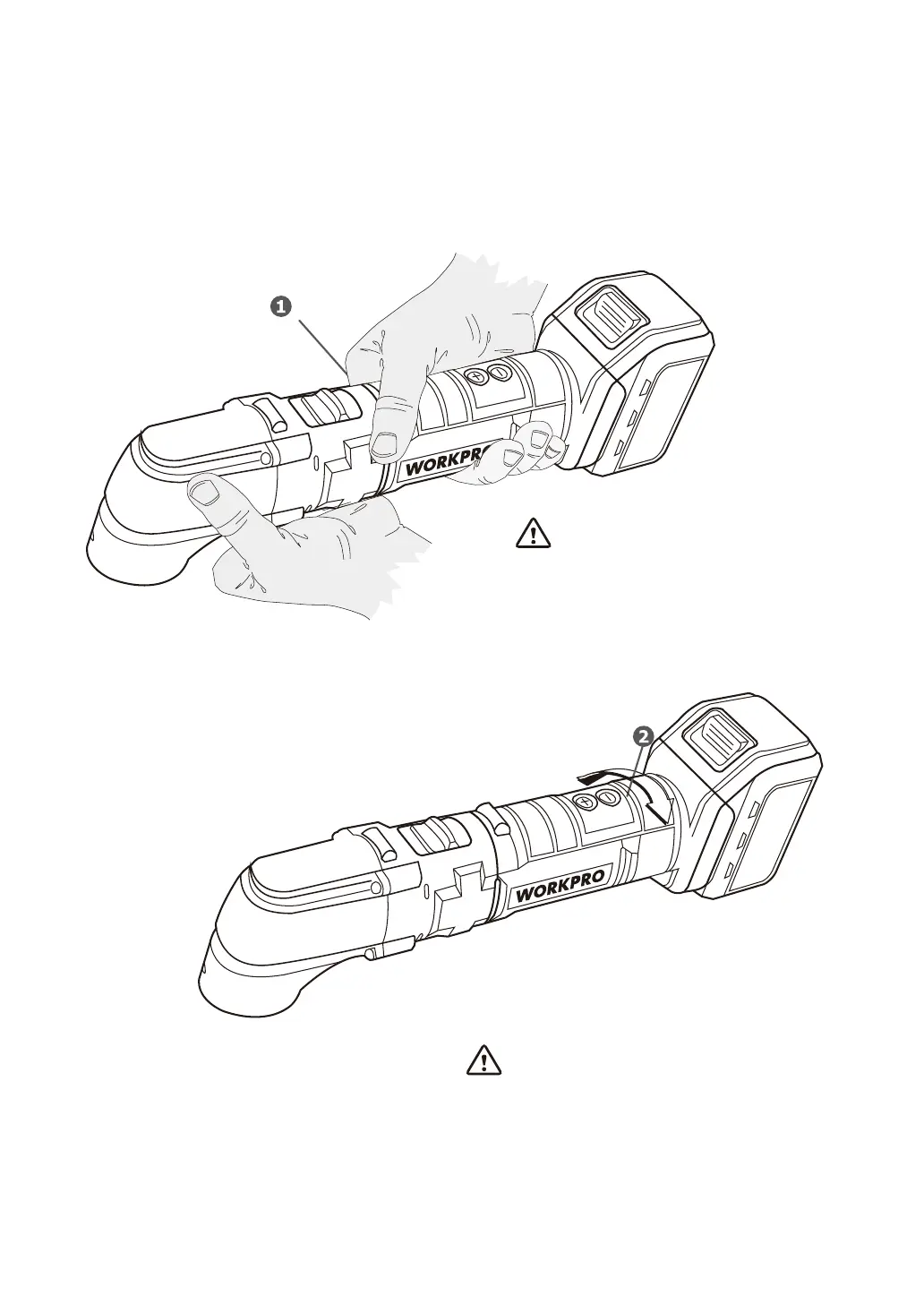
• The multi-function tool is powered up by pressing switch 1 forwards, to position “ I”.
• To stop the multi-function tool, press the switch to the rear, to position “O”.
• Select the operating speed for the multi-function tool by
turning the graded knob 2 from 1 to 6.
Start working at a slow speed and
increase the speed depending on the desired
result and the materials.
When powering up, keep firm
hold of the machine with both hands.
13


 To Next Page