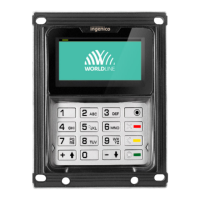
YOMANI
PRODUCT MANUAL
v PUBLIC
last updated 8/11/13 document release 2.1 pManual_ymnLOF.fm
Figures
Figure 1. USB device (USB B) socket and connector.............................................. 2
Figure 2. USB host (USB A) socket and connector ................................................. 2
Figure 3. Terminal dimensions................................................................................. 5
Figure 4. Alphanumeric keypad ............................................................................... 6
Figure 5. Display ...................................................................................................... 7
Figure 6. Card interfaces.......................................................................................... 8
Figure 7. Card pictograms on the display ................................................................ 9
Figure 8. PIN privacy shield ..................................................................................... 9
Figure 9. Removing cover to see SAM slots.......................................................... 10
Figure 10. Communication interfaces on YOMANI ML .......................................... 10
Figure 11. Keyloading via USB device connection ................................................ 11
Figure 12. Communication interfaces on YOMANI XR .......................................... 13
Figure 13. YOMANI – USB adaptor and cable....................................................... 14
Figure 14. Power supply – YOMANI XR ................................................................ 15
Figure 15. Terminal Reset button........................................................................... 16
Figure 16. YOMANI – front and back view............................................................. 17
Figure 17. Worldline System-on-Chip .................................................................... 18
Figure 18. YOMANI contactless reader ................................................................. 21
Figure 19. New (left) and old (right) YOMANI antenna design............................... 22
Figure 20. Contactless reader dimensions............................................................. 22
Figure 21. YOMANI Merchant Unit – front and back views.................................... 24
Figure 22. Merchant Unit display ........................................................................... 25
Figure 23. Merchant Unit – mains adaptor............................................................. 26
Figure 24. Fixation plate dimensions ..................................................................... 27
Figure 25. Swivel and dimensions ......................................................................... 27
Figure 26. USB cable with clip ............................................................................... 31
Figure 27. Terminal rating plate ............................................................................. 33
Figure 28. Terminal MAC address label................................................................. 34
Figure 29. Terminal package label......................................................................... 35
Figure 30. Contactless reader rating plate............................................................. 36
Figure 31. Printer rating plate................................................................................. 37
Figure 32. Merchant Unit rating plate..................................................................... 37
Figure 33. Merchant Unit package label ................................................................ 38
Figure 34. Guiding the cables (right: through optional swivel) ............................... 44
Figure 35. Sticker-free areas on YOMANI terminal................................................ 45
Figure 36. Sticker placement on contactless reader.............................................. 46
Figure 37. Cleaning the card interfaces ................................................................. 48


 To Next Page