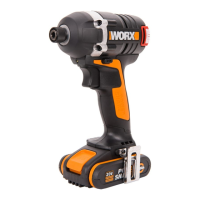
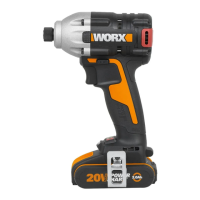
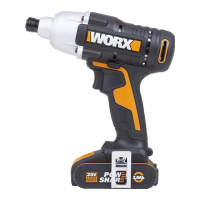
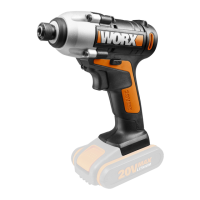
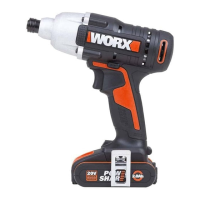
The WORX WU132 is a Lithium-Ion brushless impact driver designed for fastening and loosening bolts, nuts, and various threaded fasteners. It is not intended for use as a drill.
Technical Specifications:
- Model: WU132
- Voltage: 12V
- Rated no-load speed: 0-3300/min
- Rated impact rate: 0-1600/0-3500/0-4000bpm
- Max torque: 140N.m
- Chuck capacity: 6.35mm
- Machine weight: 0.88kg
Accessories (Standard Delivery):
- 2.0Ah lithium battery pack (WA3506) - 2 units
- Charger (WA3713) - 1 unit
- Driver bit element - 1 unit
Component List:
- Forward, Reverse Rotation and Lock Control
- Soft Grip Handle
- Battery Pack Latch
- Battery Pack
- On/Off Switch with Variable Speed Control
- LED Light
- Collet Locking Sleeve
- Electronic Speed Control Knob
- Power Indicator
Usage Features:
Battery Charging:
The tool uses a Li-ion battery, and the supplied charger is specifically matched to it. Do not use any other battery charger. The Li-ion battery is protected against deep discharging; if the battery is empty, the machine will switch off, and the chuck will no longer rotate. If the battery pack becomes too hot (e.g., in a warm environment or after heavy use), allow it to cool down before recharging. For the first charge and after prolonged storage, the battery will initially accept approximately 60% charge, but after several charge and discharge cycles, it will reach 100% charge.
Installing and Removing the Battery Pack (See Fig. A):
To remove the battery pack, depress the battery pack release button and slide the Battery Pack (4) out of the tool. To install, slide it back into the tool with a simple push and slight pressure until it clicks into place.
Installing and Removing Screwdriver Bits and Sockets:
- To Install Bits (See Fig. B): Pull the socket in the direction of the arrow and insert the screwdriver bit all the way to the bottom of the socket. Then, release the socket to lock the screwdriver bit.
- To Install Bits with Driver Bit Element (See Fig. C): Pull the socket in the direction of the arrow, insert the screwdriver bit element and then the screwdriver bit all the way to the bottom of the socket. Release the socket to lock the screwdriver bit.
- Note: Only use screwdriver bits with the illustrated inserts.
- For tools with a deep hole for screwdriver bits (B=17mm, B=14mm), follow the installation steps shown in Fig. B.
- For tools with a deep hole for screwdriver bits (A=12mm, B=9mm), follow the installation steps shown in Fig. C. A screwdriver bit element is required for this configuration.
- To Remove Bits: Pull the socket in the direction of the arrow (shown in Fig. B/C) and pull the screwdriver bit out.
Switch Lock:
The tool features an electromagnetic directional switch lock. When the shift lever is in the middle position, the power supply is completely cut off, preventing accidental startup even if the button is forcibly pressed. This enhances safety when the tool is not in use.
Reversible Function:
- For drilling and screw driving, use forward rotation (lever moved to the left, marked "▷▷").
- To remove screws or release a jammed drill bit, use reverse rotation (lever moved to the right, marked "◁◁").
- Warning: Never change the direction of rotation while the chuck is rotating; wait until it has stopped completely.
LED Light (6):
Press the On/Off Switch (5) to turn on the LED light. Releasing the switch turns the light off. The LED light improves visibility in dark or enclosed areas and also functions as a battery capacity indicator, flashing when power is low.
Electronic Speed Control Knob (8):
The speed cannot be adjusted while the machine is running if the electronic speed control knob is locked.
Maintenance Features:
General Maintenance:
The WORX WU132 impact driver requires no additional lubrication or maintenance. There are no user-serviceable parts inside the tool.
- Cleaning: Do not use water or chemical cleaners to clean the power tool. Instead, wipe it clean with a dry cloth.
- Storage: Always store the power tool in a dry place.
- Ventilation: Keep the motor ventilation slots clean and all working controls free of dust. It is normal to occasionally see sparks through the ventilation slots, and this will not damage the power tool.
Battery Care:
- Keep the battery pack clean and dry.
- Wipe battery pack terminals with a clean, dry cloth if they become dirty.
- Charge the battery pack before use, following the correct charging procedure.
- Do not leave the battery pack on charge when not in use.
- After extended storage, charge and discharge the battery pack several times to achieve maximum performance.
- The battery pack performs best at normal room temperature (20 °C ± 5 °C).
- When disposing of battery packs, separate different electrochemical systems.
- Only recharge with the charger specified by Worx (WA3713). Using an unsuitable charger can create a fire risk.
- Do not use any battery pack not designed for this equipment.
- Keep battery packs out of reach of children.
- Retain original product literature for future reference.
- Remove the battery from the equipment when not in use.
- Dispose of batteries properly.
- Do not mix cells of different manufacture, capacity, size, or type within a device.
- Do not remove the battery pack from its original packaging until required for use.
- Observe the plus (+) and minus (–) marks on the battery to ensure correct use.
Environmental Protection:
- Disposal: The machine, its accessories, and packaging materials should be sorted for environmentally friendly recycling. Plastic components are labeled for categorized recycling.
- Battery Disposal: Batteries may enter the water cycle if disposed of improperly, which can be hazardous to the ecosystem. Do not dispose of waste batteries as unsorted municipal waste. Li-Ion batteries are marked with a symbol indicating "separate collection" for all battery packs. They should be recycled or dismantled to reduce environmental impact. Battery packs contain hazardous substances that can be harmful to human health and the environment.

 Need help?
 General

 To Next Page