To Next Page
D
Don MillerAug 12, 2025
What to do if my Worx Impact Driver has low battery voltage?
- KKristen RodriguezAug 12, 2025
If your Worx Impact Driver indicates low battery voltage, the solution is to remove the battery and recharge it.

What to do if my Worx Impact Driver has low battery voltage?
If your Worx Impact Driver indicates low battery voltage, the solution is to remove the battery and recharge it.
What to do if my Worx Impact Driver is overloaded?
If your Worx Impact Driver is overloaded, release the Trigger Switch on the tool to stop the application that caused the overload. Then, pull the Trigger Switch again to restart the tool.
What to do if my Worx WX279.X Impact Driver is overheated?
If your Worx Impact Driver is overheated, allow both the tool and the battery to cool down completely before pulling the Trigger Switch again.
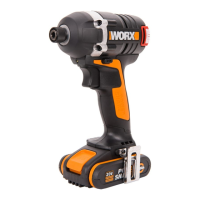
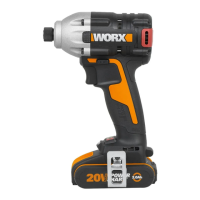
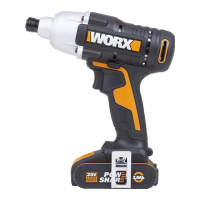
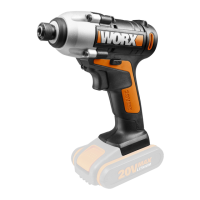
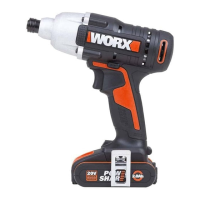
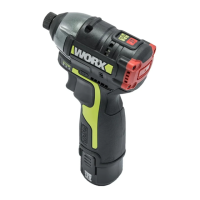
The WORX Lithium-Ion Brushless Impact Wrench, models WX279 and WX279.X, is a powerful and versatile cordless tool designed for fastening and loosening bolts, nuts, and various threaded fasteners. It is not intended for use as a drill. This impact wrench is part of the WORX PowerShare family, indicating compatibility with other WORX 20V Max battery packs.
The impact wrench operates on a 20V Max Lithium-Ion battery, providing cordless convenience and portability. Its brushless motor technology offers enhanced efficiency, longer run-time, and extended tool life compared to brushed motors. The tool features a square driver for attaching sockets, a forward/reverse rotation switch for directional control, and an on/off switch with variable speed control. An integrated LED light illuminates the work area, improving visibility in dimly lit conditions. The tool also includes a belt hook for convenient storage and access during work.
The impact wrench is powered by a Lithium-Ion battery pack. To begin operation, the battery pack must be properly installed into the tool. This involves aligning the battery with the tool's receptacle and sliding it in until it clicks into place. To remove the battery, the battery pack release button must be pressed, allowing the battery to slide out.
Before first use, or after extended storage, the battery pack needs to be charged. The charging process involves inserting the battery into a compatible WORX charger. The charger typically has an indicator light (e.g., a red LED) that illuminates to show charging is in progress. It's crucial to use only the charger specified by WORX for the particular battery pack to prevent fire hazards. The battery pack should be charged within a recommended ambient temperature range of 0°C-40°C for optimal performance and safety.
The tool features a battery condition indicator (on WX279 models) that allows users to check the remaining charge level. This is typically represented by a series of LED lights, with all lights illuminated indicating a full charge (100%) and no lights indicating 0% charge.
The impact wrench is equipped with a forward/reverse rotation switch, which allows the user to select the desired direction of rotation for fastening or loosening tasks. It is critical to ensure the chuck is completely stopped before changing the direction of rotation to prevent damage to the tool.
The on/off switch provides variable speed control, meaning the tool's speed can be adjusted by the amount of pressure applied to the switch. This allows for precise control over the fastening or loosening process, adapting to different material types and fastener requirements. The tool offers multiple speed settings (e.g., 1300/min, 2100/min, 2900/min) and impact rates (e.g., 1600/min, 2900/min, 3300 bpm), which can be selected to match the application.
Sockets, which are not supplied with the tool, are inserted onto the square driver. This typically involves pushing the socket onto the driver until it securely locks into place. Removal usually requires pulling the socket off the driver.
An integrated LED light activates when the on/off switch is slightly depressed, providing illumination to the work area. The light remains on for approximately 20 seconds after the switch is released, aiding visibility in low-light conditions.
The tool and battery are equipped with a protection system designed to extend battery life and prevent damage. This system automatically cuts off power to the tool under certain conditions:
Users are advised to always wear eye protection, ear protection, a dust mask, and protective gloves when operating the impact wrench. Keeping the work area clean and well-lit is essential to prevent accidents. It's also important to avoid operating the tool in explosive atmospheres or near flammable materials.
The WORX Lithium-Ion Brushless Impact Wrench is designed for minimal maintenance. It does not require additional lubrication or servicing of internal parts by the user. There are no user-serviceable parts within the tool.
To maintain the tool's condition and ensure longevity:
Proper care of the battery pack is crucial for its performance and lifespan:
The manual provides guidance for common issues, such as difficulty fitting the battery into the charger (ensure correct orientation) and reasons for varying battery pack working times (e.g., charging problems, prolonged disuse, heavy working conditions, or extreme charging temperatures).
By following these usage and maintenance guidelines, users can ensure the safe and efficient operation of their WORX Lithium-Ion Brushless Impact Wrench, maximizing its performance and extending its service life.
 General
| Voltage | 20V |
|---|---|
| Max Torque | 170 Nm |
| Chuck Size | 1/4 inch |
| Battery Type | Li-Ion |
| Chuck Type | Quick Release |