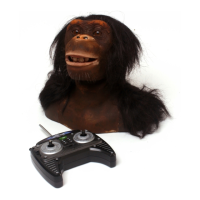
Direct Control of the Chimpanzee is activated by pressing any of the buttons on the controller
(except the Alive button), or by moving the joysticks, automatically taking him out of Alive Mode.
Once in Direct Control Mode, the Chimpanzee is animated by using the following controller
features:
Animation Buttons
Sound Buttons
Joysticks
All commands given using the joysticks or buttons have different operations, depending on the
position of the Toggle Switches.
Animation and Sound Buttons
Animation Buttons
Pressing one of these buttons will make the Chimpanzee perform an
animation determined by the mood selected (see Toggle Chart below).
Sound Buttons
By pressing one of these buttons, the Chimpanzee will “speak” in a way
determined by the mood selected (see Toggle Chart below).
His mouth will animate while he makes sounds.
There is a toggle switch on each
shoulder of the controller.
The Toggle Chart (right) illustrates the
position of each toggle for the Chimpanzeeʼs
4 moods.
a
b
c
x
y
z
Direct Control
13
+ = Curious
+ = Happy
+ = Fearful
+ = Angry
Right
Toggle
Position
Mood Selected
2
1
3
4
1
2
3
4
Left
Toggle
Position











 To Next Page