Pressing the Program button and the Alive button at the same time will put the
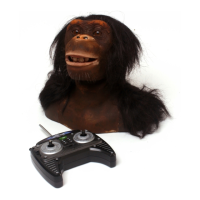
Chimpanzee into Guard Mode. He will confirm this with a Sound and /or Motion.
In Guard Mode, the Chimpanzee will use his Vision Sensors and Stereo Sound
Sensors to guard the area immediately around him. Occasionally the Chimpanzee
will turn his head and look around.
Upon seeing or hearing something, Chimpanzee will perform a programmed routine
- if there is no program in his memory then he will perform a random animation. He
tracks movement but a flinch sets off the Guard Mode response.
After around 20 minutes he exits Guard Mode and the Chimpanzee goes into Sleep
Mode, performing an animation before doing so.
To exit Guard Mode at any time, press and hold the Alive button for around 2.5
seconds.
Pressing the Demo button makes the Chimpanzee perform a random sequence of
2 or 3 animations. After a Demo sequence, the Chimpanzee returns to whichever
mode he was in previously.
When the Chimpanzee is in Direct Control Mode and has had no input for
approximately 4 minutes he will go into Alive Mode.
When the Chimpanzee is in Alive Mode and has had no interaction for around 10
minutes he will Power Down.
To wake the Chimpanzee up, activate any of the Touch Sensors on his head (see
p.10 for sensor positions).
Demo Mode
Guard Mode
Sleep Mode
17











 To Next Page