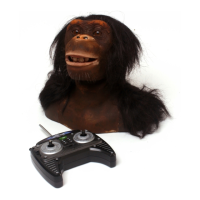
You can program a sequence of movements and sounds in Program Mode.
Entering Program Mode
To enter the Program Mode the user must hold the Program button for around 2.5
seconds, the Chimpanzee will “speak” to acknowledge Program Mode entry.
Using the joystick, the user can send commands to the Chimpanzee to perform a
movement. The move is stored only after the joystick is released, or moved in
another direction.
The amount of time that the joystick is held in a specific direction determines how far
the Chimpanzee moves. When a joystick is moved in another direction, this is a new
step in the program.
STORING A PROGRAM
You can program a maximum of 20 steps. By pressing a Sound button, it will be
added into the sequence as a step.
End Program Mode by pressing the Program button again or programming all 20
steps.
A stored program can be played back at any time and in any mood, by pressing the
Program button once. If there is nothing programmed, the Chimpanzee will remain
stationary. If the user enters Program Mode when a program is already stored, that
program will be overwritten.
Resetting Program Mode
To reset his Program Mode manually, enter Program Mode by holding the Program
button for around 2.5 seconds. Holding the Program Mode button again for around
2.5 seconds will perform a reset. Press the button again to exit Program Mode.
Program Mode
16











 To Next Page