WUNDER SA.BI.SRL USER MANUAL
ASEP-ASEP-P INOX REV.01 15/12/2016 3
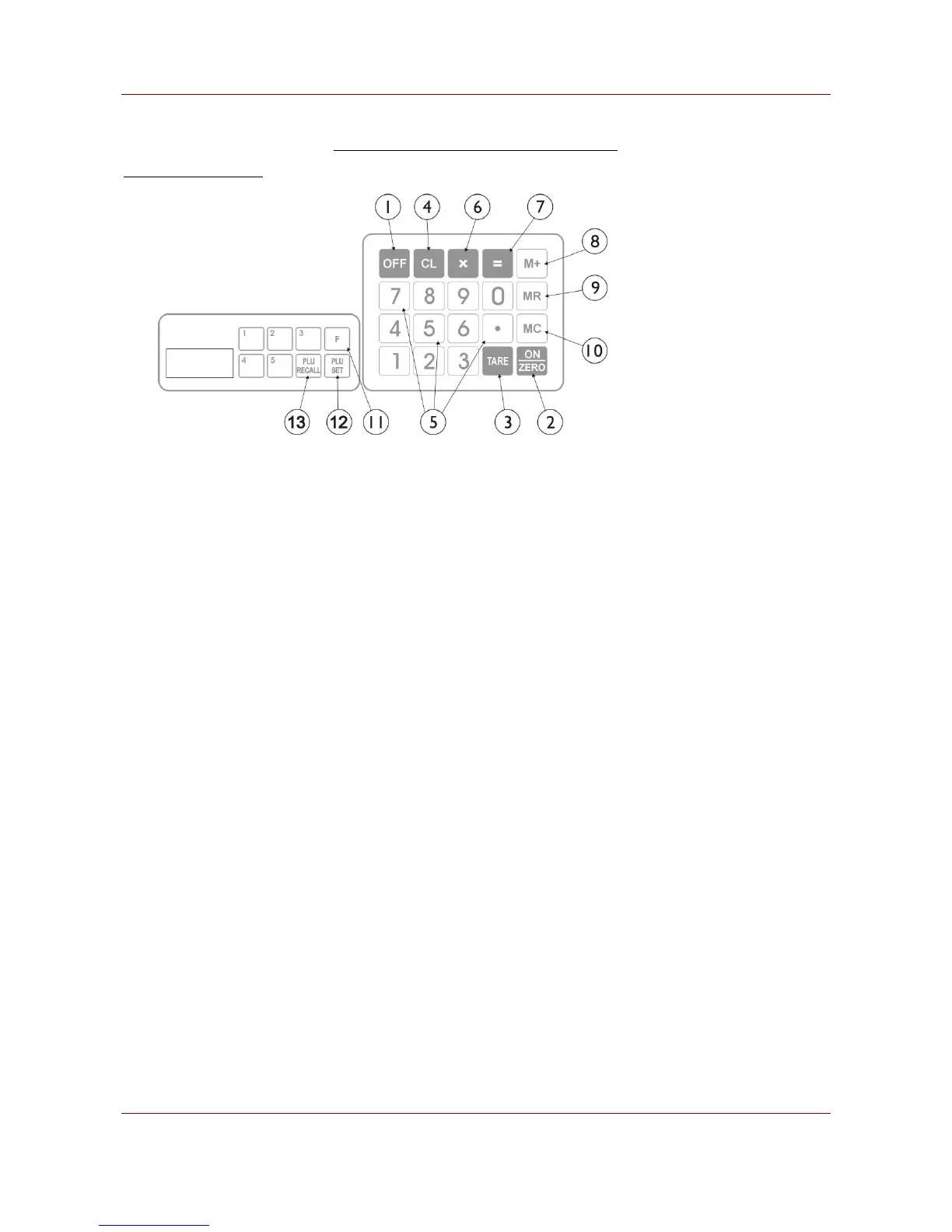
3. KEYBOARD, PANELS LAYOUT AND DESCRIPTION
KEYBOARD DISCRIPTION
1. OFF KEY
Press this key to turn scale off.
2. ON/ZERO KEY
Press this key to a) turn scale on, and; b) set weight to zero. Refer to SPECIFICATIONS for maximum zero range.
3. TARE KEY
Press this key to tare off the weight of a container. Refer to SPECIFICATIONS for maximum tare range.
4. CLEAR KEY
Press this key to clear the numeric figure just entered or quit from function in process.
5. NUMERIC AND DECIMAL KEYS
Use these keys to attain the desired numeric value.
6. NON-WEIGHED ARTICLE KEY
Use with numeric and decimal keys to calculate total price of non-weighed articles.
7. PAID/CHANGE KEY
Press this key to recall accumulated total price or trigger the change function.
8. MEMORY PLUS KEY
Press this key to accumulate current transaction to memory.
9. MEMORY RECALL KEY
Press this key to recall individual and total stored transactions.
10. MEMORY CLEAR KEY
Press this key to clear individual or all stored transactions.
11. FIXED UNIT PRICE KEY
Press this key to enter a fixed unit price.
12. PLU SET KEY
Press this key to set a unit price to PLU, 5 external and 99 internal.


 To Next Page