WUNDER SA.BI.SRL USER MANUAL
ASEP-ASEP-P INOX REV.01 15/12/2016 5
immediately. Failure to do so may cause unrecoverable damages to the built-in rechargeable battery.
24. IN-CHARGE INDICATOR
Red color: Recharging on process
Green color: Charging completed
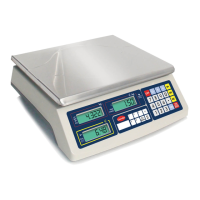
25. WEIGHT PANEL
The weight detected is shown here.
26. UNIT PRICE PANEL
The current unit price entered is shown here.
27. TOTAL PRICE PANEL
Price to pay of the current transaction is shown here.
4. INITIAL SETUP
4.1 PLACING THE SCALE
In order to obtain an accurate weighing result, the scale must be placed on a strong and level surface.
4.2 INTERNAL SETTING
4.2.1 Display Segment Check
User can use this function to check if the segments of LCD and backlight are functioning properly.
a. Scale is off
b. Press and hold TARE, then press ON/ZERO
c. Scale displays F1
d. Press TARE once to F2
e. Press · and all segments will light up for user to check the condition of the display
f. Press TARE for next function setup or any key to restart the scale
4.2.2 Select Auto Power Off Setting
The scale is equipped with Auto Power Off Function. The scale will power off automatically if it is not used for 4 minutes.
Follow the below steps to enable/disable Auto Power Off Function.
a. Scale is off
b. Press and hold TARE, then press ON/ZERO
c. Scale displays F1
d. Press TARE three times to F4
e. Press · to shift between 0._OFF or 4._OFF
-To enable Auto Power Off Function, press TARE when 4._OFF appears
-To disable Auto Power Off Function, press TARE when 0._OFF appears
f. Scale displays F5
g. Press TARE for next function setup or any key to restart the scale


 To Next Page