FREQUENTLY ASKED QUESTIONS
Please note: The diagrams in this instruction book are as they appear in
the ‘St’ setting. The number conguration changes for ‘Kg’ or ‘Lb’ settings.
To change the scale from ‘St’ (stones and pounds) to ‘Kg’ (kilos) or ‘Lb’
(pounds), press the switch on the underside of the scale.
Q: The scale shows ‘Err’.
A1: Make sure to wait for ‘0:0’ before stepping onto the scale (‘0.0’ for Kg
or Lb settings).
A2: ‘Err’ may display if you exceed the maximum weight capacity of the
scale – check the ‘FEATURES’ section.
A3: ‘Err’ may display if your body fat % is more than 50% or less than
5.0% - see the Body Analysis Range Table.
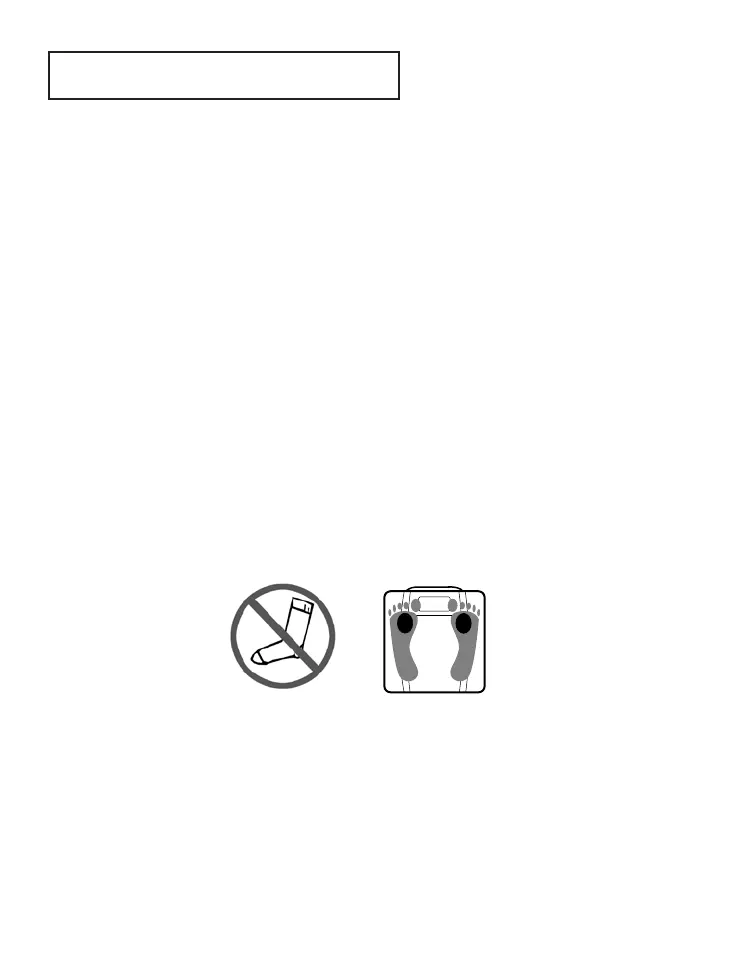
A4: If ‘Err’ displays after the body weight reading, instead of body analysis
readings, check that you are BAREFOOT – bare skin must touch the
metal strips; no socks, tights, stockings, shoes or slippers. Check
your feet are positioned correctly.
A5: If ‘Err’ displays after the body weight reading, instead of body analysis
readings and your feet are bare, check the condition of the skin on
your feet. Hard or dry skin on your feet can prevent proper contact
being made with the electrodes in the metal strips. If your skin is very
dry, try applying a small amount of moisturiser to your feet and allow
to dry thoroughly before using the scale, to avoid slipping.


 To Next Page