Page 19 of 31 Pages
3.4. HOLD-Function
This function is available in all measuring modes.
Place the sensor on a flat stable surface. Use the key
HOLD. While
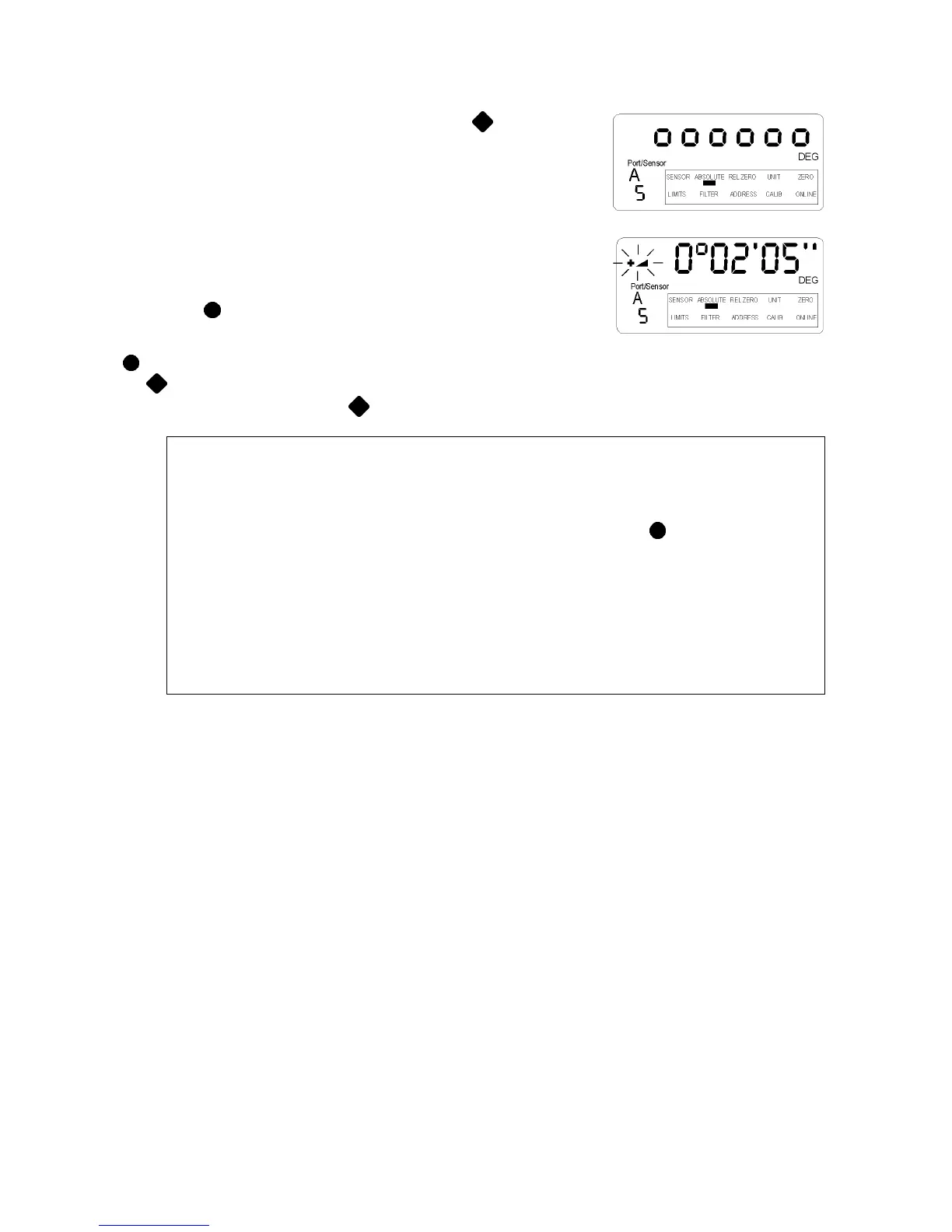
the LEVELMETER 2000 waits for a valid measurement (two identical
values in succession) the display will show "oooooo". As it is
practically impossible for two successive values to be identical while
the instrument is handled, the sensor may be positioned after the key
is depressed.
As soon as the condition for a valid measurement is fulfilled, the
measuring value is displayed, the direction indicator flashing. To read
the measurement value, the LEVELMETER 2000 may be removed
from its located position. The display value is "frozen".
Use the key
SEND/ESC. If a printer is connected, the measured
value will be transmitted and the LEVELMETER 2000 will be ready for
use in the normal mode If you just want to read the value, pressing
SEND/ESC again will return to the standard mode.
If
HOLD is required for the next measurement, it is possible
without canceling; directly to recall
HOLD again.
Remarks:
The level of vibration at the measuring location considerably influences the time necessary to
collect a valid measurement. Severe vibration may even completely prevent the condition (two
identical values in succession), necessary to register a true measurement.
In order to regain measuring capability under this condition, take the sensor to an object with a
lower vibration level and complete the operation in process. By key using SEND/ESC the further
procedure may be cancelled immediately. The displayed value may now be accepted or the
process must be repeated.
If after 60 seconds no value was accepted, the „ERROR 7“ message is displayed.
HOLD function has not been successfully completed within 60 seconds. The procedure needs to
be repeated.
By using the function RESET the LEVELMETER 2000 will return to the standard settings. With the
exception of the calibration data all previous adjustments are lost!!
RESET
After the new software is loaded an instrument’s reset must be done.
(Press the key ON/MODE, keep it pressed and simultaneously press the key ENTER until on the screen a
number of dots appear. At the end of the reset the instrument switches in the last used mode.)


 To Next Page
 Loading...




