Page 26 of 31 Pages
3.10. Measuring by setting LIMITS
When your tasks requires the indication of a surpassed measuring value with an "alarm" the LIMITS function must
be used.
In this mode it is possible to define an upper and a lower measuring limitation (LIMITS). After installation of the
limits a signal will be seen on the screen and also sent through the port OUT if the measured value rises above
the upper limit or falls below the lower limit.
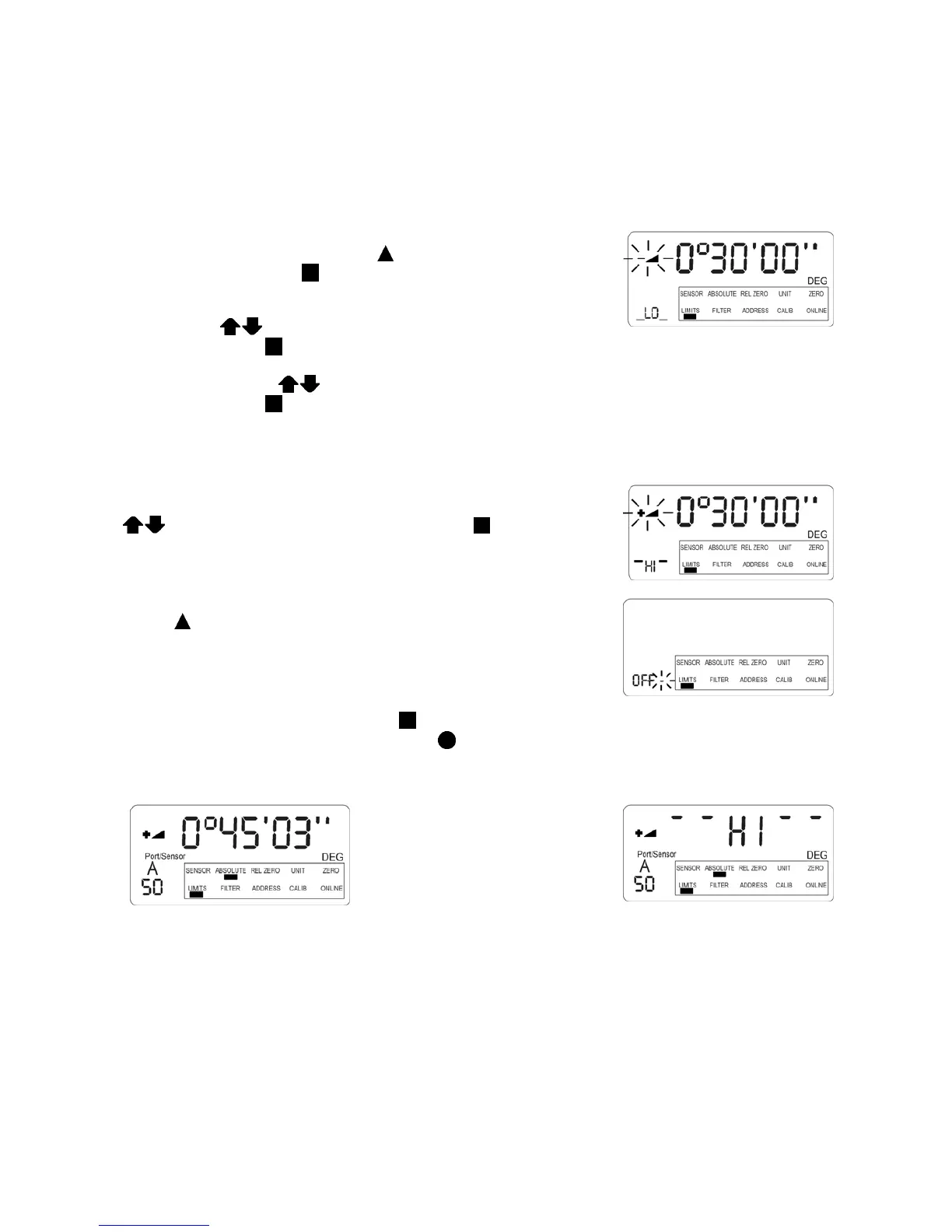
For the setting of limits the selection pointer must be moved to the position
LIMITS by repeatedly pressing the key
ON/MODE. If reached it needs
to be accepted by pressing
ENTER. In the display of the
LEVELMETER 2000 a possible installed lower limit is displayed with a
marking LO. This value may now manually be adjusted to the required
value by using
ZERO/SELECT „+/-“. If reached it must be
accepted by pressing
ENTER. After this the upper value is displayed
with the marking HI. This value may now manually be adjusted to the
required value by using
ZERO/SELECT „+/-“. If reached it must be
accepted by pressing
ENTER.
ATTENTION: The upper limit (HI) must always, absolutely seen, be
higher than the lower limit (LOW)
After the confirmation in the display the upper limit is seen (remark HI)
This value can be changed manually by using the keys
ZERO/SELECT „+/-“ and after confirming with ENTER the limit
is set.
After the saving of the upper limit the display shows OFF or ON. By using
the key
ON/MODE the display jumps between the two possibilities.
The desired mode must be confirmed with
ENTER. (Means: limits ON or limits OFF) If the limits must not be
stored, the procedure can be cancelled by using
SEND/ESC
If during a measurement the limits
are reached the display starts
flashing, alternatively the measured
value and the remark HI or LO
depending on the limit reached are
seen.
At the same time two signal will be transmitted to the port OUT The first signal may be used for an external
control action or a relay (12V/500 mA) may be activated.
The second signal transmits the polarity of the signal in relation to the set limitation.


 To Next Page
 Loading...




