50 Chapter 6
System Tools
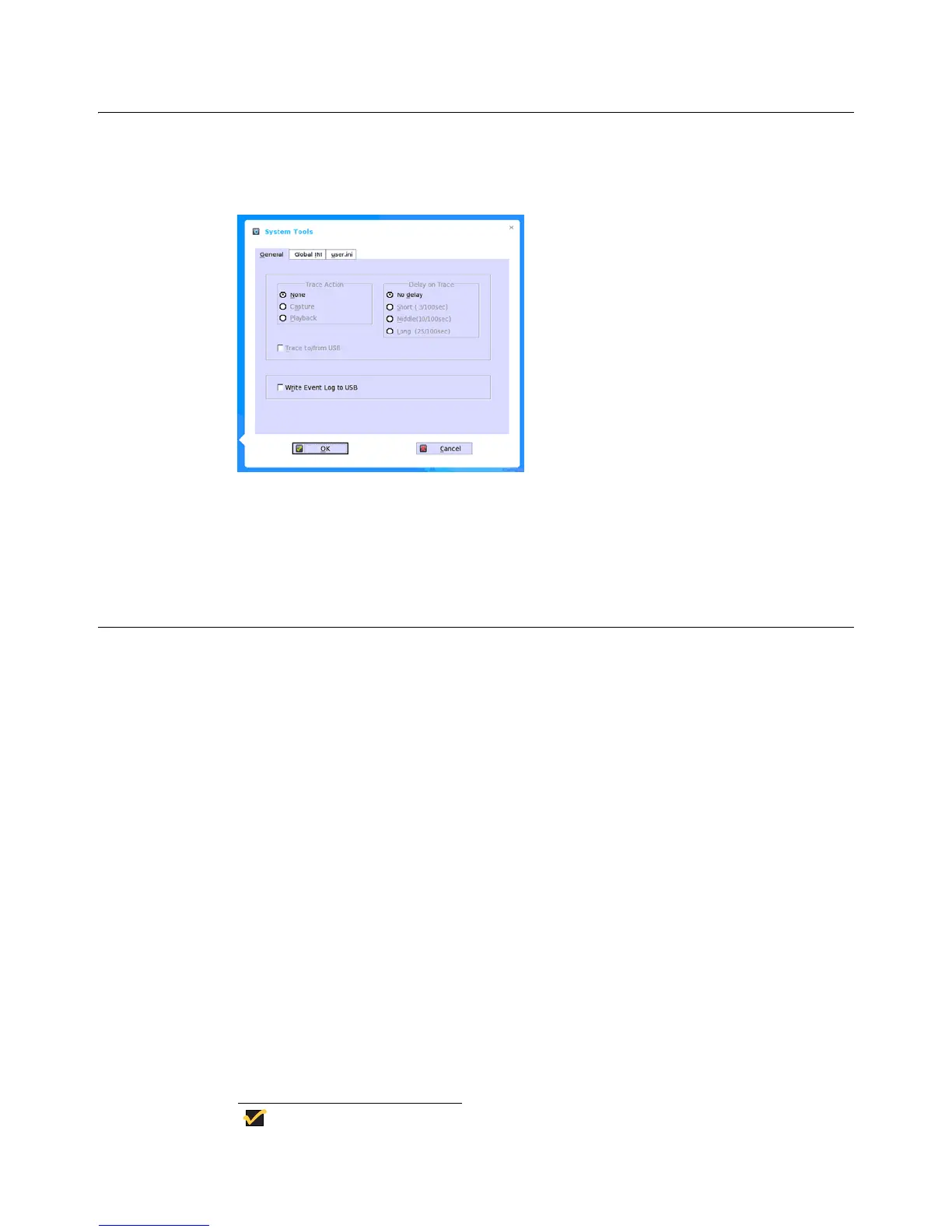
The System Tools dialog box allows you to configure Trace and Event log settings. It also
allows you to view wnos.ini and user.ini cached information for troubleshooting purposes.
Use the Trace and Event log options on the General tab to configure the settings you
want.
Use the Global INI tab to view wnos.ini information.
Use the user.ini tab to view user.ini information.
Network Tools
The Network Tools dialog box allows you to use Ping (Packet InterNet Groper) and Trace
Route for checking the integrity of the network connection (ping also checks the usability
of the network configuration and the availability of all equipment required to communicate
between the thin client and the ping destination). Generally, Ping and Trace Route are
used for system diagnostics by, or under the direction of, a network administrator.
Using Ping
The Ping dialog box executes the ping diagnostic utility and displays response messages.
Ping is a diagnostic tool that sends an echo request to a network host. The host parameter
is either a valid host name or an IP address. If the host is operational and on the network,
it responds to the echo request. By default, echo requests are sent until interrupted (by
clicking Stop in the Ping dialog box). The ping utility sends one echo request per second
and calculates round trip times and packet loss statistics, and then displays a brief
summary upon completion of the calculation.
The ping utility can be used to:
• Determine the status of the network and various foreign hosts
• Track and isolate hardware and software problems
• Test, measure, and manage networks
• Determine the IP address of a host if only the hostname is known
Note
Not all network equipment will respond to ping packets, since this is a
common mechanism used in denial-of-service attacks. Lack of response


 To Next Page