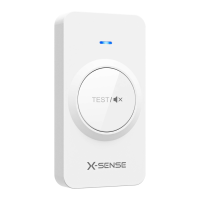
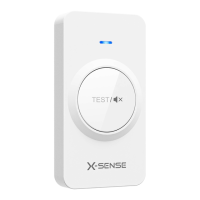
Operating Instructions
Battery Installation
Open the rear cover by inserting the included key into the slot at the bottom of the remote controller.
Remove the insulating film on the button cell battery. Make sure the battery polarities are correctly
matched (plus to plus and minus to minus). Install the battery and then close the cover.
Pairing the Remote Controller with X-Sense
®
Pro Wireless Interlinked Alarms
(Purchased Separately) XS01-M, XH02-M or XC01-M
1. Create an interlinked group of wireless alarms by following the operating instructions
included with the device packaging.
2. Press the test/silence button on one wireless interlinked alarm in the interlinked group
quickly 4 times. The unit will beep once, and the red LED will flash slowly, indicating it
has entered pairing mode and is waiting for a new unit to be added.
3. Press the test/silence button on the remote controller quickly twice. The blue LED will flash
rapidly, indicating that it is searching for a device to connect to.
4. After successful linking, the alarm will beep once and automatically exit the pairing mode.
Then the alarm will only flash once per minute, indicating that it is in normal monitoring
mode. The LED indicator on the remote controller will light up for about 3 seconds, then
turn off .
Testing the Wireless Connection Between the Wireless Interlinked Alarms
1. Hold down the test/silence button (>7 sec) to be able to control the sensors within the range
of the remote controller. The LED indicator on the remote controller should flash.
2. After the wireless interlinked alarms have received the signal (takes about 7 seconds), their
LED indicators will flash, and all wireless interlinked alarms will sound.
3. Release the test/silence button. The LED indicator on the remote controller will stop
flashing, indicating that the test has ended. All alarms should go silent.
Hush alarms
Simply press the test/silence button to silence the wireless interlinked alarms in case of a false alarm
initiated from fumes from cooking, cigarette smoke, etc.
NOTE: NEVER silence an alarm that you do not know the origin of. Always investigate an alarm
BEFORE silencing!
During an alarm, press the test/silence button once, and all devices paired will be silenced. Press the
button again to also silence the initiating alarm.
The LED on the remote controller will flash blue each time you press the button, indicating it has
received the command.


 To Next Page
 Loading...