EasyManua.ls Logo

X10 Powerhouse DS7000 - User Manual

X10 Powerhouse DS7000
15 pages
Print Icon
To Next Page IconTo Next Page
Loading...
Supervised Security System
Owner's Guide
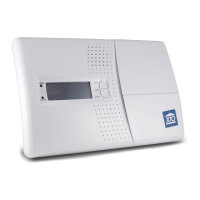
Supervised Security System DS7000
1
9
513
15
3
711
UNIT
A
I
EM
O
C
GK
HOUSE
AC Power
Battery Low
RECORD
ARMED
1
2
3
4
5
6
7
8
zones
ARM
BYPASS
1
4
7
PROG 0
8
5
2
MEM
9
6
3
Install
Run 1
Run 2
REC/BUSY

Questions and Answers

  • P
    Paul BellSep 10, 2025
    What to do if I don't hear a beep when installing X10 Security System remote?
    • W
      Wesley WilliamsSep 10, 2025
      If you don't hear a beep from the Console when pressing ARM to install a Remote for your X10 Security System, first check if you can arm the system in RUN mode. If you can, the Remote is already installed. If not: * Ensure the Console's slide switch is set to INSTALL. * Re-initialize the remote.
  • A
    Angela RuizAug 22, 2025
    How to stop X10 Powerhouse DS7000 alarm from tripping when entering house?
    • D
      Diamond GordonAug 23, 2025
      To prevent the X10 Security System alarm from tripping when you enter, arm the system in delay mode. Set the MIN/MAX switch on the entrance Door/Window Sensor to MAX and the Handheld Remote to MAX before pressing ARM.
  • M
    Michelle GilmoreAug 25, 2025
    How to prevent X10 Security System motion detector from causing false alarms?
    • D
      Diane ReyesAug 25, 2025
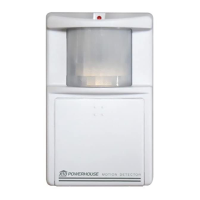
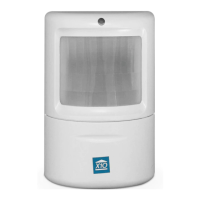
      To prevent false alarms with the X10 Security System Motion Detector: * Avoid placing the detector near heat sources like heating vents or air conditioners. * Do not expose it to direct bright light, such as sunlight. * Keep it away from cellular telephones and microwave ovens, as these can interfere with its operation.
  • C
    Cathy BurnsAug 26, 2025
    Why won't the lights turn on or off with the X10 Powerhouse DS7000 Security System remote?
    • L
      larrybuchananAug 26, 2025
      If the lights are not responding to the remote with your X10 Security System, ensure the following: * Verify that the House and Unit Codes on the module(s) match the settings on the Console. * Confirm that the light you're controlling has its on/off switch in the 'on' position and that the bulb is working. * Try plugging the module into a different outlet near the Console. * Check if the battery indicator on the Remote lights up when you press a button. If not, replace the battery and reinstall the remote.
  • M
    Melinda RichardsAug 28, 2025
    What to do if I lose my X10 Powerhouse DS7000 Security System remote control?
    • D
      David TaylorAug 28, 2025
      If you lose your remote control for the X10 Security System, reinstall your complete system. This will prevent unauthorized access using the lost remote.
  • V
    Vanessa OrtizAug 29, 2025
    How to fix X10 Powerhouse DS7000 Security System if it does not arm?
    • A
      Austin SpencerAug 29, 2025
      If your X10 Security System isn't arming, check that the Console's slide switch is set to RUN1 or RUN2. Also, verify that the battery indicator on the Remote turns on when you press ARM. If needed, replace the battery in the Remote and reinstall it.
  • J
    jennifer27Sep 18, 2025
    What does it mean if a zone indicator flashes rapidly on my X10 Security System?
    • C
      Christopher MillerSep 18, 2025
      If a zone indicator flashes rapidly on your X10 Security System, the BYPASS button was pressed to arm the system while a sensor/motion detector was reporting a problem.
  • W
    whitescottSep 12, 2025
    Why doesn't the PowerHorn trip when the X10 Powerhouse DS7000 Security System alarm trips?
    • G
      Gina NicholsonSep 12, 2025
      If the PowerHorn isn't activating when the X10 Security System alarm goes off: * Make sure the dials on the PowerHorn are set to the same House Code and Unit Code as the Console. * Try plugging the PowerHorn into a different outlet near the Console.
  • A
    Andrew CoxSep 8, 2025
    Why does my X10 Security System arm or disarm by itself?
    • R
      Rachael PerezSep 8, 2025
      If your X10 Security System arms or disarms on its own, a neighbor might have a compatible system. Reinstall the complete system to choose different RF codes.
  • D
    Danielle WilliamsSep 5, 2025
    What does it mean if a zone indicator is flashing slowly on my X10 Powerhouse DS7000 Security System?
    • M
      Maria FisherSep 5, 2025
      If a zone indicator flashes slowly on your X10 Security System, it means a sensor or motion detector hasn't reported in for the last 4 hours. Check the battery in the sensor/motion detector. To arm the system while ignoring a malfunctioning sensor: 1. Press ARM on the Remote control. You'll hear a repetitive trouble alarm. 2. While the alarm sounds, press BYPASS on the Console. The zone indicator will flash rapidly, then press ARM on the Remote.

Summary

Installation Guide for X10 Security System

Setting Up the Security System Dialer

Programming Phone Numbers

Steps to program emergency contact phone numbers into the console.

Storing a Voice Message

Procedure to record a custom message for the dialer.

Operating the X10 Security System

Arming and Disarming the System

How to arm and disarm the system using console or remotes.

Instant Mode Operation

How to arm the system for immediate response without delays.

Delay Mode Operation

How to arm the system with entry/exit delays.

Arm Home;Arm Away Functions

How to arm selectively with or without motion detectors.

Battery Information and Maintenance

Security Console Battery

Details on console battery backup and replacement.

Remote Battery Replacement

Battery replacement for remotes and code retention.

Sensor;Detector Battery Replacement

Battery replacement for sensors and detectors.

Troubleshooting Common Issues

System Not Arming

Solutions for when the security system fails to arm.

Zone Indicator Flashing Slowly

Diagnosing slow flashing zone indicators (sensor issues).

Zone Indicator Flashing Rapidly

Understanding rapidly flashing zone indicators (bypass/problem).

Repetitive Trouble Alarm During Arming

Resolving repetitive trouble alarms during arming.

X10 Powerhouse DS7000 Specifications

General IconGeneral
Battery BackupYes
Wireless Frequency310 MHz
Number of Zones8
Phone Line MonitoringYes
TypeSecurity System
PowerAC
Power Supply120V AC, 60Hz
Operating RangeUp to 100 feet
Compatible DevicesX10 Security Sensors
Alarm OutputBuilt-in siren
Remote ControlYes, via X10 remote

Related product manuals