› Connect the LINE PLAY (OUT) connection with your amplier‘s input for eect devices (general-
ly marked EQUALIZER PLAY or EQUALIZER IN).
› Connect the LINE (IN) REC connection with your amplier‘s output for eect devices (generally
marked EQUALIZER REC or EQUALIZER OUT).
› If you are using the HiFi amplier A-100, connect the remote input REMOTE SYSTEM TO AMP
with the corresponding remote socket REMOTE SYSTEM CD on the amplier. You can then con-
trol the equalizer using the system remote control.
Connecting the power supply
Make sure that, before you connect the device to the power supply, the POWER
switch (1) is switched o (position “OFF”).
The POWER (1) switch does not entirely disconnect the device from the electricity
supply. In order to completely separate the device from the electricity net, you have
to pull the mains plug out of the wall socket.
› Connect the mains plug of the equalizer‘s mains cable to a socket (230 V~/50 Hz) linked to the
public power supply network.
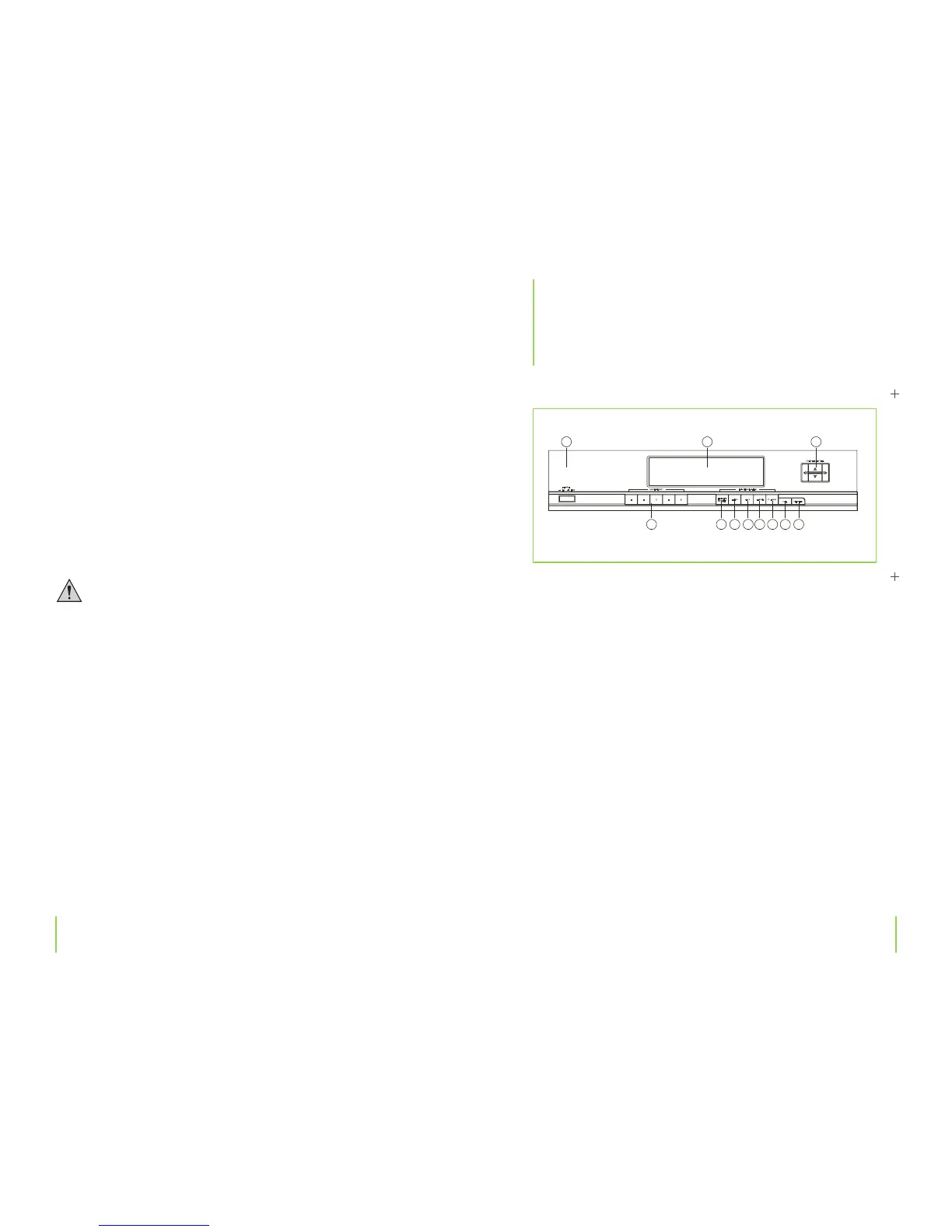
(1) POWER button
This button switches the equalizer on and o.
Position ON > Device is on, alternatively in standby mode (when switched o by the ampli-
er A-100 remote control) , Position OFF > Device is switched o.
(2) Display reading
The level of the dierent frequency bands (spectrum display) and the equalizer control set-
ting is shown in the display.
(3) CURSOR CONTROL button
This button is for setting the individual frequency bands. The blinking cursor in the display
(2) are moved in the direction which the arrow on the button points.
(4) EQ MODE button
You can use this button to adjust the bandwidth of the equalizer setting:
ALT setting > bandwidth high (several bands are adjusted at the same time)
FINE setting > bandwidth low (only one band adjusted)
(5) FLAT button
This button sets all the equalizer bands back to the initial position (0 dB setting).
Chapter 5 OperationChapter 4 Connection
5
Operation


 To Next Page