8
9
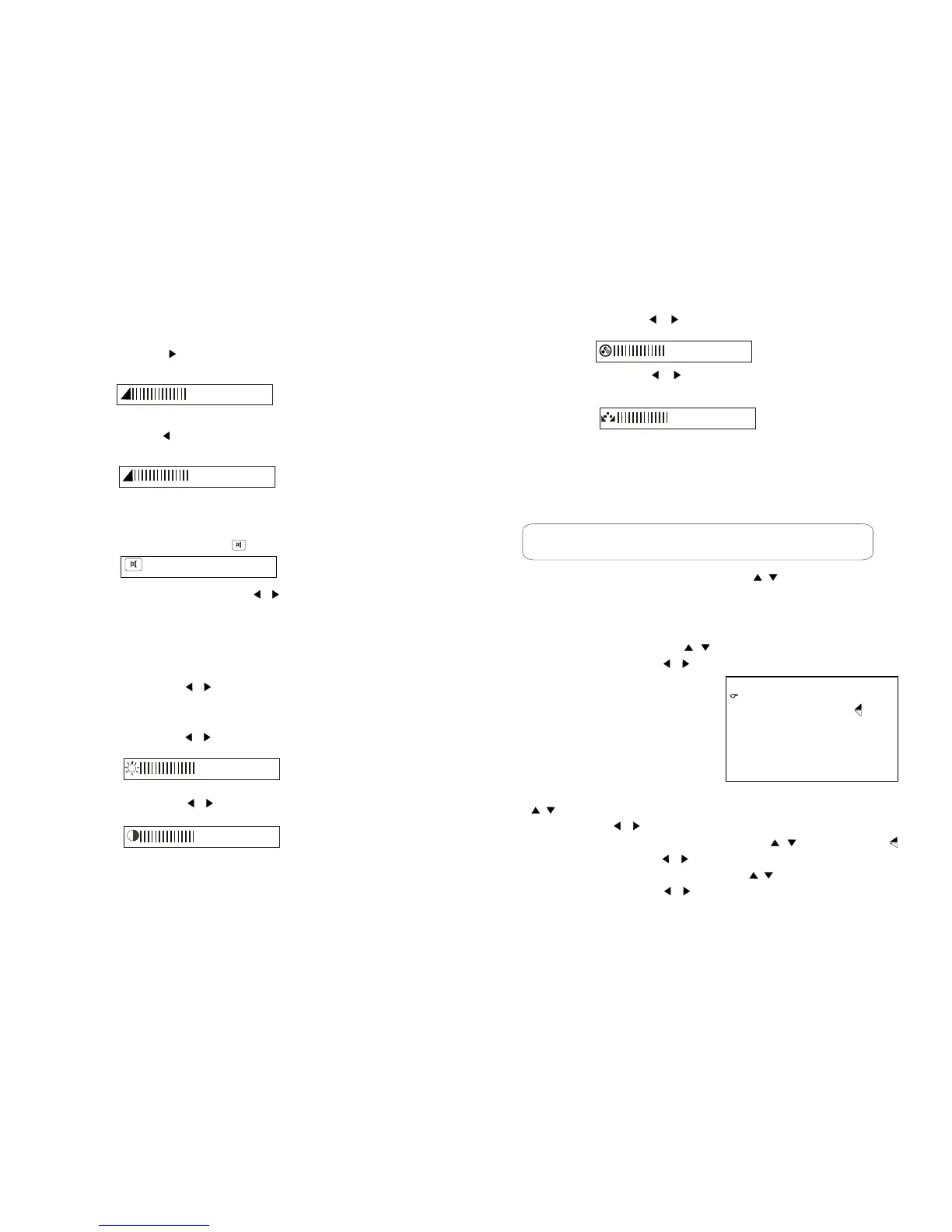
5).Press to adjust the tint (tint only NTSC
system using )
4).Press LEFT/RIGHT( / ) button to adjust the colour
LEFT/RIGHT ( / ) button
............
50
............
50
1)Changing channels using the numeric buttons ,You can select
a
Changing the channelsChanging the channels
2)Changing channels with the UP/DOWN( / ) button to one by
one to select channels.
one-digit channel or two-digit channel .
ATV allow you to select up to 100 Positions(channel 0 to 99)
1)At ATV/AV mode press menu button to select FUNCTION
menu, Press the UP/DOWN( / ) button to select the function,
Press the LEFT/RIGHT( / ) button to transfer the function items,
The screen displays
LANGUAGE: Press the UP / DOWN
( / )button to select the language .Press the
LEFT / RIGHT( / ) button to change the language
Picture up and down: Press the UP / DOWN( / ) button to select .
Press the LEFT / RIGHT( / ) button to turn the picture up and down.
ASPECT MODE: Press the UP / DOWN( / ) button to select ASPECT.
Press the LEFT / RIGHT( / ) button to turn the 16:9 or 4:3 picture.
Function selection Function selection
LANGUAGE ENGLISHLANGUAGE ENGLISH
ASPECT 16:9ASPECT 16:9
FUCTIONFUCTION
NORMALNORMAL
1).Press LEFT/RIGHT( / )button to adjust the brightness.
2).Press LEFT/RIGHT( / )button to adjust the contrast
Adjusting the picture setting
1).Press the ANS button to select brightness
contrast, colour, tint (tint only NTSC system using)
2).Press LEFT/RIGHT( / )button to adjust the brightness,
contrast, colour, tint.
To mute sound
1).Press the MUTE button to temporarily turn off the sound .
Screen display the mute mark .
2).Press the MUTE or LEFT/RIGHT( / )button to turn the
sound back to the previous level.
Sound volume
1).PressANS to select volume .
2).press the RIGHT ( ) button to increase sound volume adjusting.
The segment of indicator increases.
3).Press the LEFT ( )button decrease sound volume.
The segment of indicator decreases.
............
50
............
50
............
50
............
50
Press one or two
Digit
buttons.


 To Next Page
 Loading...