12
13
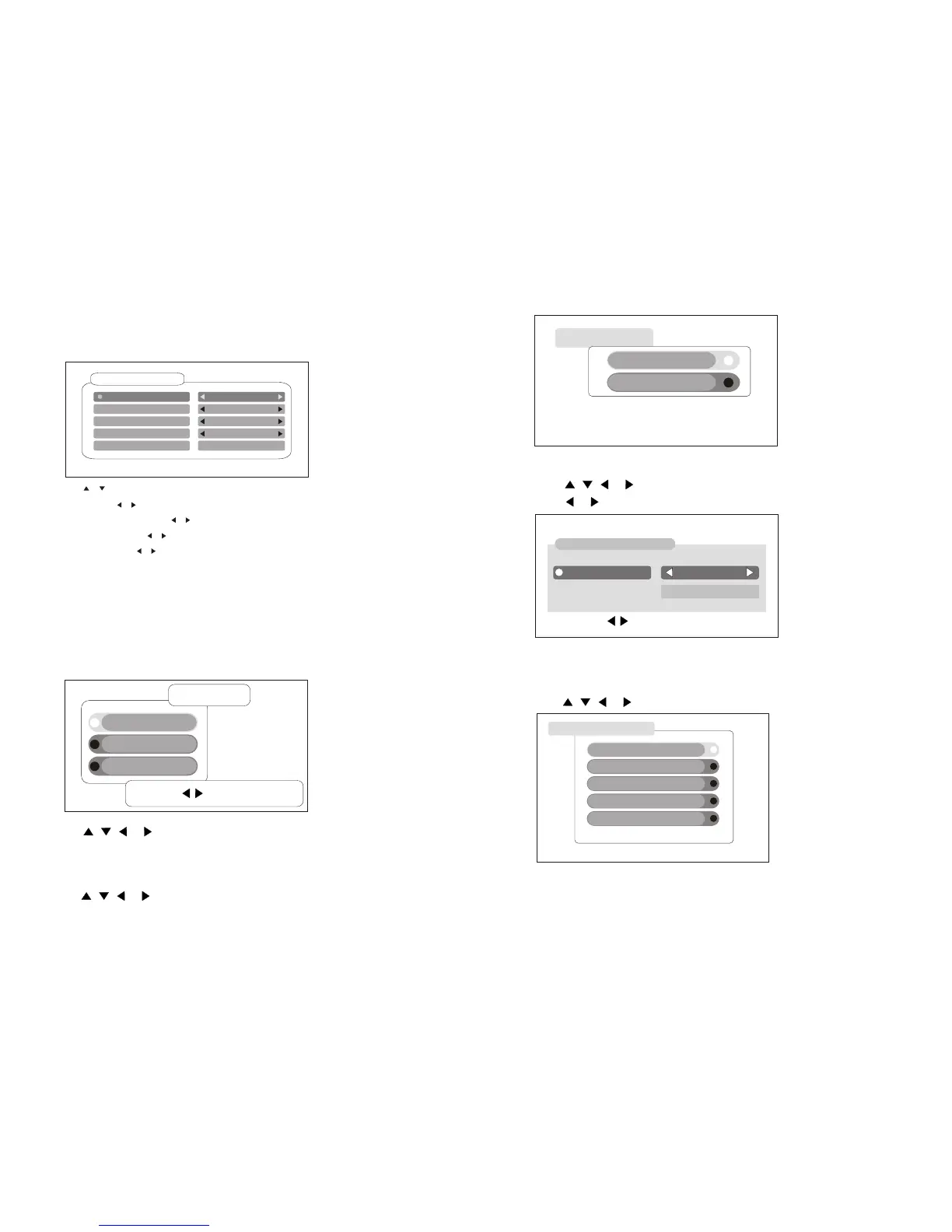
G . PRESET DTV MENU:
(A). Antenna Active
Antenna ActiveAntenna Active
Press , , or button to select Antenna Active ,Then press OK button.
If you select "enable ",the tuner can provide 5V power supply.
Press or button to select Enable or Disable.
Antenna Antenna EnableEnable
5V On
Press OK Key to select Exit: Back
Press the [MENU] button when the TV is DTV mode, then the Preset
program setting menu will be shown on the screen.
Channel SearchChannel Search
Channel EditChannel Edit
InstallationInstallation
22
33
11
Main MenuMain Menu
Press OK Key to selectPress OK Key to select
Press , , or to select your desired recommend function.
Press [EXIT] button to return the upon interface.
Press [MENU] button to exit the menu interface.
1. Installation
InstallationInstallation
Press , , or button to select Installation ,Then press OK button.
Antenna ActiveAntenna Active
System SetupSystem Setup
1
2
System SetupSystem Setup
(B). System Setup
Press , , or button to select System Setup ,Then press OK button.
Local TimeLocal Time
User InterfaceUser Interface
Video Video
System InformationSystem Information
Factory ResetFactory Reset
11
22
33
44
55
When power on, [First Installation] will be shown on the screen if unit
without any channel stored
First InstallationFirst Installation
AreaArea UKUK
OSD LanguageOSD Language
OKOK
Time zoneTime zone
AntennaAntenna
Auto ScanAuto Scan
EnglishEnglish
GMT +1GMT +1
5V off5V off
Press , to select first Installation, then press OK button.
Area : Press , to select the appropriate area.
OSD Language : Press , to select to your preference language.
Time zone : Press , to select time zone.
Antenna : Press , to selet 5V on or 5V off so that the tuner will
or won t provide 5V power supply.
Auto Scan : Press OK and begin to auto san.
If you don t want to do the first installations, please press the EXIT
button to exit.
,
,


 To Next Page