17
16
TV Channel TV Channel
RADIO Channel RADIO Channel
11
22
This menu enable you to setup the channel of DVB-T. Such as move channels,
make your own favorite channels list ,skip channels and delete channels from
the list.
3. CHANNEL EDIT
(A). Preset TV Channel
Please select Channel Edit, then press OK button.
Channel 1Channel 1
Channel 2Channel 2
Channel 3Channel 3
Channel 4Channel 4
Channel 5Channel 5
0: Skip Edit
1: Delete Edit
2: Move Edit
0: Skip Edit
1: Delete Edit
2: Move Edit
3: Name Edit
4: Sort Edit
5 Fav Edit
3: Name Edit
4: Sort Edit
5 Fav Edit
474MHz
BW[8MHz]
CH 21
474MHz
BW[8MHz]
CH 21
00010001
00020002
00030003
00040004
00050005
helphelp
Channel EditChannel Edit
Add To Fav-1Add To Fav-1
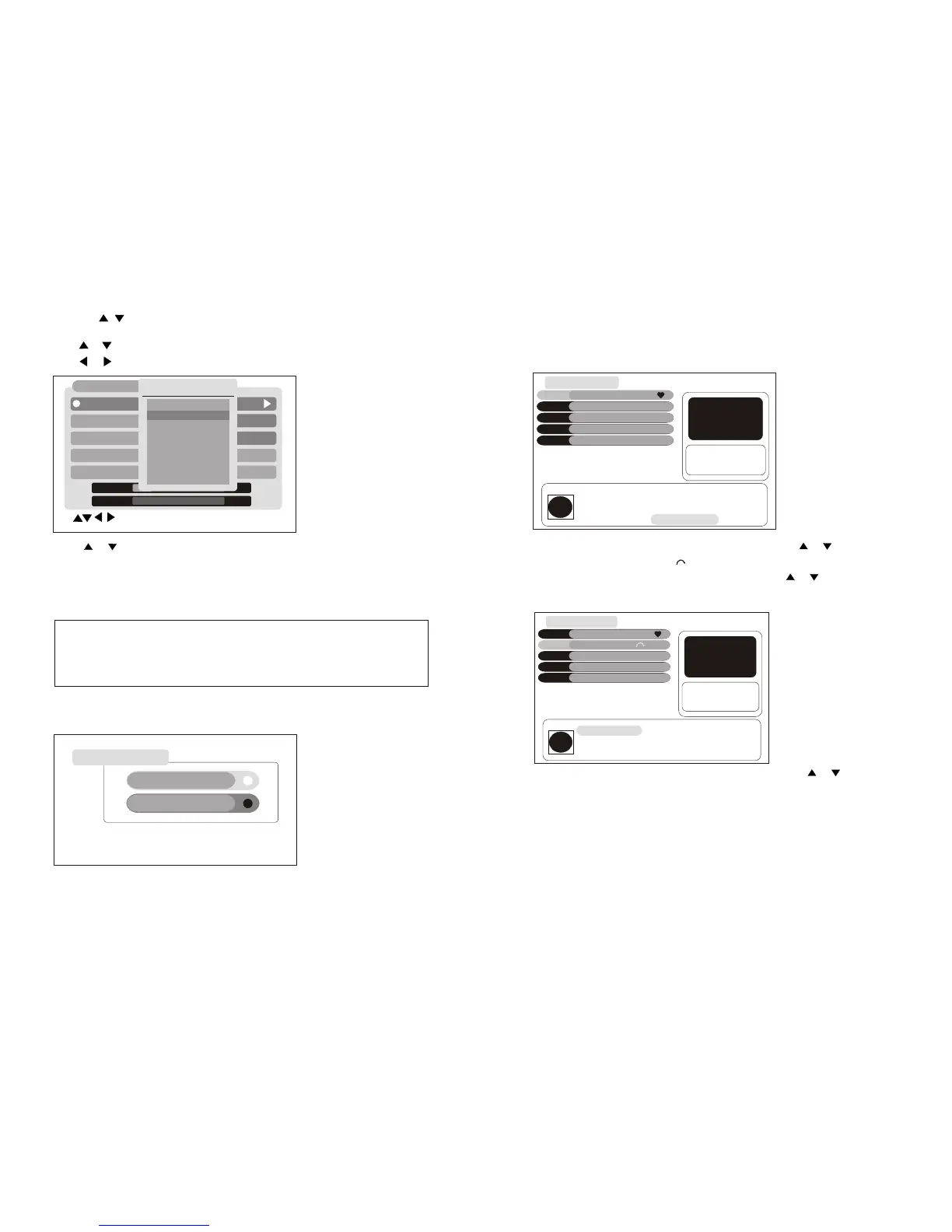
Press [ 0 ] button to select Skip Edit item. then press or button to select
channel, press [OK ]button, will display beside the program, press [OK]
button again to remove this logo, when you press or button in no-menu
state,the program will skip.
Press or button to select Frequency ,Then press OK button.
Press or button to select desired recommend Frequency.
Press or button to select the Auto scan, then press OK button to search
program with auto search format. It would search all the currently TV
program and store them automatically.
If you want to stop the AUTO SEARCH mode, please press the [EXIT]
button.
Note: You may be wait for a moment when the TV finished
AUTO SEARCH.
You may be wait for a moment when the TV be stopped AUTO
SEARCH.
Channel SearchChannel Search
FrequencyFrequency
Band WidthBand Width
ModeMode
Scan ModeScan Mode
Scan ModeScan Mode
CH[45]666MHzCH[45]666MHz
Select Frequency ,OK: CH table Select Frequency ,OK: CH table
8MHz8MHz
AutoAuto
Manual ScanManual Scan
Auto ScanAuto Scan
LevelLevel 15%
0%
QualityQuality
TP ListTP List
CH[4]57.5MHz
CH[5]64.5MHzCH[5]64.5MHz
CH[6]177.5MHzCH[6]177.5MHz
CH[7]184.5MHzCH[7]184.5MHz
CH[8]191.5MHzCH[8]191.5MHz
CH[9]198.5MHzCH[9]198.5MHz
CH[10]205.5MHzCH[10]205.5MHz
CH[11]212.5MHzCH[11]212.5MHz
Press the , to select Area, then Press left/right to select the
appropriate area.
Channel 1Channel 1
Channel 2Channel 2
Channel 3Channel 3
Channel 4Channel 4
Channel 5Channel 5
0: Skip Edit
1: Delete Edit
2: Move Edit
0: Skip Edit
1: Delete Edit
2: Move Edit
3: Name Edit
4: Sort Edit
5 Fav Edit
3: Name Edit
4: Sort Edit
5 Fav Edit
474MHz
BW[8MHz]
CH 21
474MHz
BW[8MHz]
CH 21
00010001
00020002
00030003
00040004
00050005
helphelp
Skip ChannelSkip Channel
Press [ 1 ] button to select Delete Edit item. then press or button to
select channel, press [OK] button you can delete the channels.


 To Next Page
 Loading...