Need help?
Do you have a question about the XAC RP-10 and is the answer not in the manual?
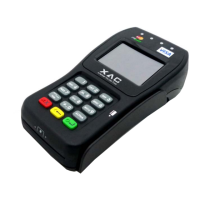
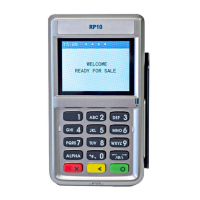
Details the front and rear interface ports and key buttons of the RP-10 device, referencing Figure 1.
Instructions on how to power on the RP-10 device by connecting a USB cable and its power saving mode.
Guidance on swiping a card through the magnetic strip reader slot, specifying orientation.
Instructions for inserting an IC card into the reader slot, indicating chip side orientation.
Details on using the numeric keypad for input, confirming with Enter, and canceling functions.
Instructions on how to tap a contactless card on the device's contactless logo.
Guidance on locating and correctly inserting SIM and SAM cards after removing the battery cover.
Compliance statement with FCC Part 15 rules for digital devices and potential interference issues.
Statement on FCC compliance with radiation exposure limits and recommended minimum distance.
 General
| Model | RP-10 |
|---|---|
| Battery Life | Up to 8 hours |
| Operating System | Proprietary |
| Device Type | Payment Terminal |
| Manufacturer | XAC |
| Connectivity | Bluetooth, USB |
| Card Reader | Magnetic Stripe, EMV Chip, NFC |
| Security | PCI PTS 5.x |
| Power Source | Rechargeable Battery |
| Supported Cards | Visa, Mastercard, American Express, Discover, UnionPay |

 To Next Page