EasyManua.ls Logo

Xantrex Freedom X 808-0817 Series - Bluetooth Connectivity and App Integration; Creating a Bluetooth Link with the Freedom X Remote Panel App; Installation Procedures; Installing the Remote Panel Unit on the Wall

Xantrex Freedom X 808-0817 Series
4 pages
Print Icon
To Next Page IconTo Next Page
To Previous Page IconTo Previous Page
Loading...
Installing the Remote Panel Unit on the Wall
http://www.xantrex.com
PN: 808-0817 / 808-0817-02
Freedom X Remote Panel User Guide
7
A




owned by their respective companies.

Creating a Bluetooth Link with the Freedom X Remote Panel App


FXC Control
allows you to conveniently monitor and configure a

a
with a compatible smart device
b
using a Bluetooth
connection.
2. Turn on the Bluetooth enabled Freedom X Remote




Bluetooth toggle on the app. The app should now
indicate that it is searching for devices.

ESC button to enable Bluetooth pairing on the remote.
Remote pairing can be observed by the two flashing
horizontal lines underneath the left and right numbers.
6. When the app has detected the Bluetooth signal, it will

app. Click on the serial number to complete the pairing
process.


_____________________________________
a



b Compatible smart devices:



FXC Control
FXC Control


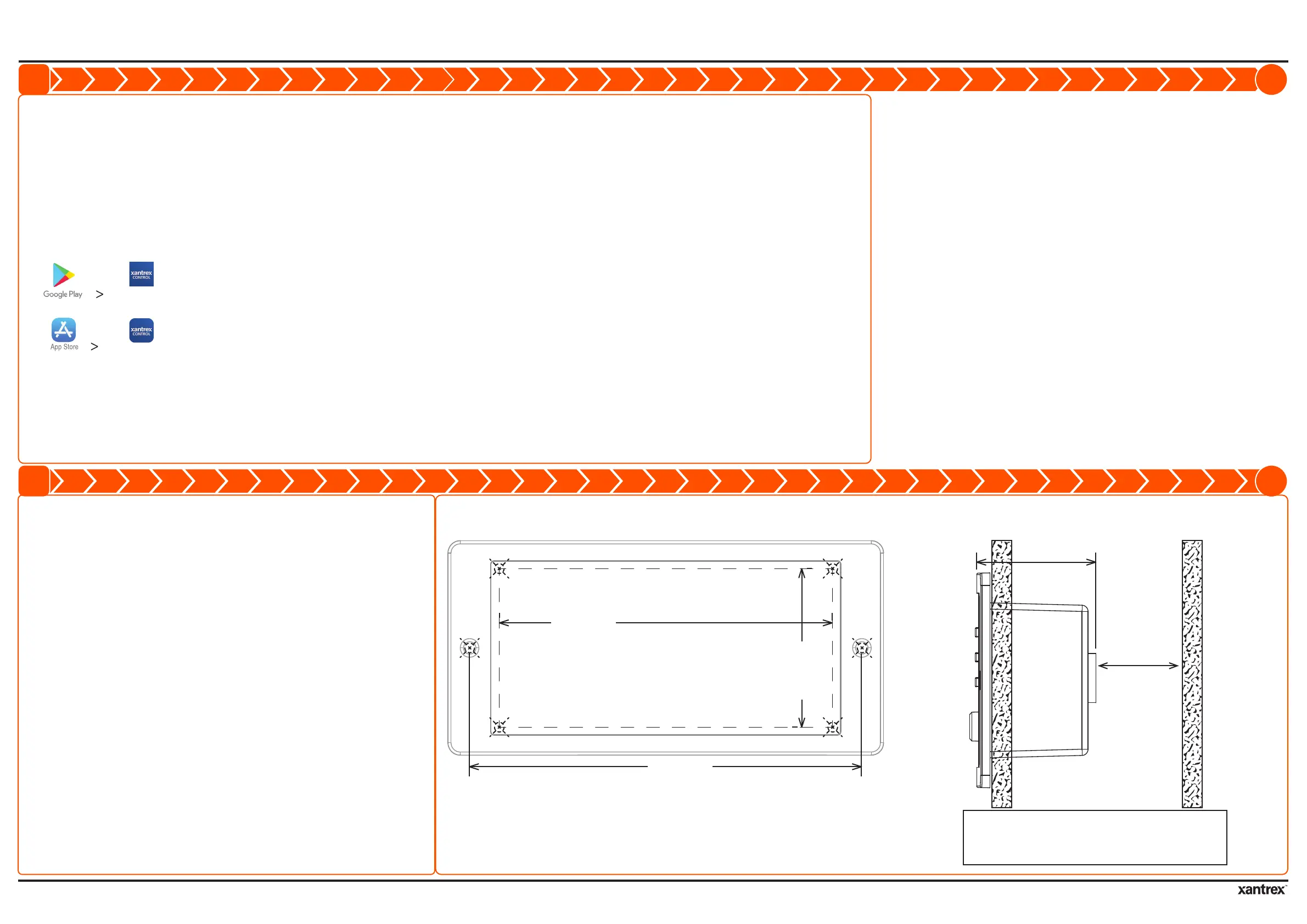
recess outline on the wall.

on the wall.
4. Remove the template from the wall.
5. Cut along the recess outline on the wall to make

6. Pre-drill the mounting holes appropriate to the


ports on the inverter and remote panel.

recess outline
mounting
hole
mounting
hole
Mounting Template
126.0 mm
107.0 mm
51.0 mm
NOTE: Ensure the inside wall is free of obstructions,
such as pipes, insulation, and electrical wiring.
Ensure the recess depth is more than 50 mm.
allow enough
space for
connecting the
com cable plug
38.0 mm
C
M
Y
CM
MY
CY
CMY
K
976-0367-01-01_Rev-D(artwork).pdf 3 9/25/2019 4:40:57 PM


Related product manuals