HEADSET CONTROLS
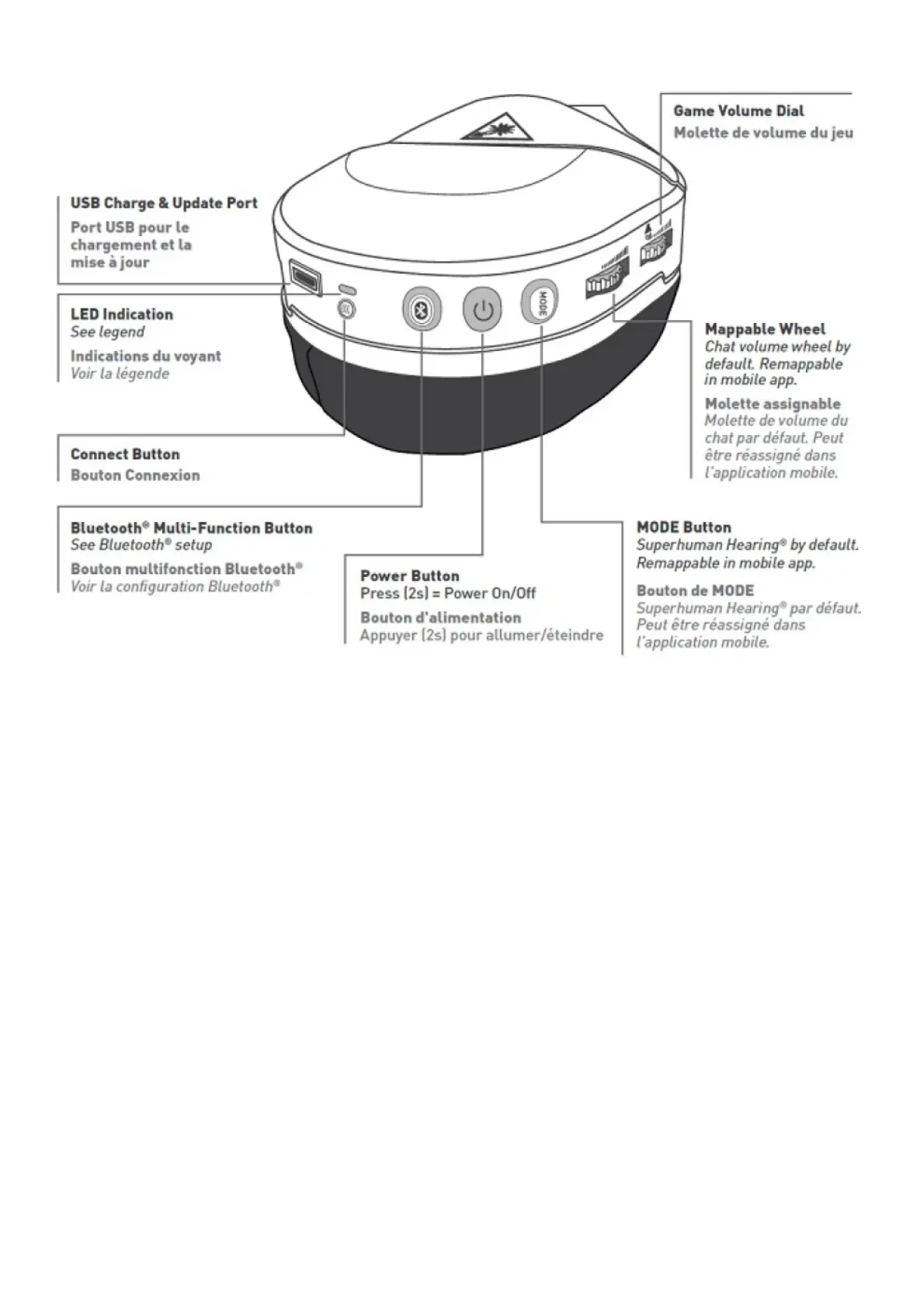
1. USB Charge & Update Port
2. LED Indicator
See legend
3. Connect Button
4. Bluetooth Multi-Function Button
See Bluetooth Setup
5. Power Button
Press (2s) – Power On/Off
6. Mode Button
Default Function: Superhuman Hearing On/Off. Remappable in mobile app.
7. Mappable Wheel
Default Function: Chat Volume Wheel. Remappable in mobile app.
8. Game Volume Dial
Use Superhuman Hearing Mode to pinpoint quiet audio cues like enemy footsteps and weapon reloads.
During gameplay, you can activate and deactivate Superhuman Hearing by pressing the Mode button once, quickly.
Mic Mute



 To Next Page