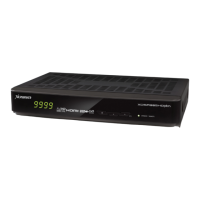
Need help?
Do you have a question about the Xcruiser XDSR200HD and is the answer not in the manual?
Provides essential safety advice for device usage, covering handling, placement, power, and accessories.
Illustrates how to connect the receiver to a power source using the provided AC/DC adapter.
Details how to connect the receiver to a TV using an HDMI cable for high-definition audio and video.
Explains how to connect the satellite dish antenna cable to the receiver's LNB IN port.
Instructions for searching and configuring satellite channels, including LNB and antenna settings.
Addresses issues like no picture, poor quality, no sound, remote control failure, and signal problems.
 General
| HDTV Compatible | Yes |
|---|---|
| Video Decoder | MPEG-2, MPEG-4, H.264 |
| DiSEqC Support | DiSEqC 1.0, 1.1, 1.2, USALS |
| Type | Digital Satellite Receiver |
| Video Output | HDMI, Composite, Component |
| Tuner Type | DVB-S2 |
| Storage | USB |
| Connectivity | HDMI, USB, Component (YPbPr), Composite (CVBS) |
| Audio Decoder | MPEG-1 Layer I/II |
| Dimensions | 180 x 45 mm |

 To Next Page