Need help?
Do you have a question about the Xcruiser XDSR600HD and is the answer not in the manual?
Key safety guidelines and important notices for operating the device.
Legal information, disclaimers, and registered trademarks.
Overview of the receiver's primary capabilities and supported standards.
List of items included in the product package.
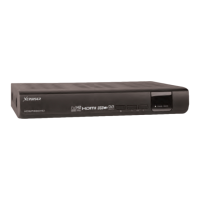
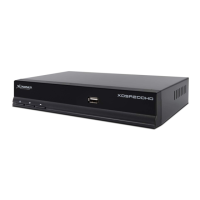
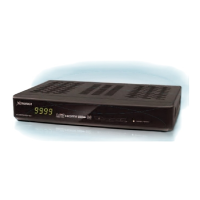
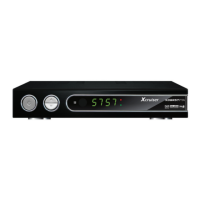
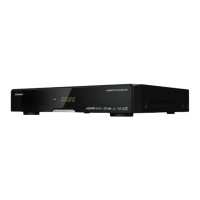
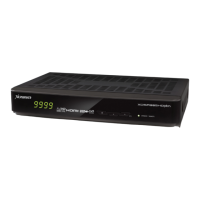
Description of the front panel components and the VFD display.
Details of the various input/output ports on the rear of the receiver.
Explanation of power, playback, and basic navigation buttons on the remote.
Details on color buttons, menu access, PIP, and other special function buttons.
Procedures for setting up the remote with different brands via code entry or auto-search.
Instructions for connecting the receiver to power and TV via digital A/V.
Guidance on connecting the receiver to TV and VCR using analog A/V outputs.
Diagrams showing antenna connections for various satellite tuner configurations.
Diagrams illustrating antenna connections for terrestrial tuner setups.
Diagrams showing antenna connections for cable tuner configurations.
Diagrams for connecting antennas in combined satellite and terrestrial tuner setups.
How to select services, use the service list, and manage favorites.
Viewing program information, multi-picture display, and the Electronic Program Guide.
Adjusting volume and managing favorite service groups.
Features for pausing playback, selecting subtitles, and controlling audio.
Using Teletext and the Picture-in-Picture functionality.
Methods for instant, scheduled, and event-based recording.
Options for editing recordings, long-time recording, and pausing during recording.
How to use the time shifting feature for temporary recording.
Playing back recorded files, music, photos, and managing media.
Managing recorded files and imported media files.
Playing music, viewing photos, and setting bookmarks within media.
Using fast forward, rewind, and pause functions during playback.
Visual representation of the System Tools and Configuration menu structure.
Visual representation of the Installation and Utilities menu structure.
Detailed explanation of Storage Manager, Timer Settings, Service List, and Data Transfer.
Setting timers, managing service lists, locking, and moving services.
Options for transferring data and configuring system settings like recording and parental controls.
Details on TimeShift settings, parental controls, and display options.
Configuring display options, PIN codes, and access rights for menus.
Setting the clock, wake-up, and sleep timers for the receiver.
Selecting menu language, audio, subtitle, teletext languages, and A/V output.
Configuring video output resolution, aspect ratio, and audio output.
Adjusting display format, video output mode, and audio settings.
How to apply installation menus based on installed tuner types.
Configuring satellite, LNB, and tuner connection settings for service search.
Setting up dish positioners, DiSEqC switches, and USALS for antenna alignment.
Performing satellite, terrestrial, and cable service searches using various modes.
Setting up network parameters for PC connectivity and file access.
Restoring factory defaults, resetting data, and viewing system information.
Accessing the built-in calculator and calendar tools.
Managing Conditional Access System cards and installing plugins.
Viewing the status of Common Interface modules.
Downloading and managing plugin files for extended functionality.
Using the WebZeal application for web browsing.
Accessing and using the YouTube service on the receiver.
Guide to resolving common issues like no picture, no sound, or remote control problems.
Technical details of the receiver's tuners and channel decoding capabilities.
Information on main processor, memory, and input/output interfaces.
Details on front panel components and power supply characteristics.
Physical size, weight, operating temperature, and storage conditions.
Mapping of remote control buttons to TV, DVD, and VCR functions.
List of codes for controlling various TV brands with the universal remote.
List of codes for controlling various VCR brands with the universal remote.
List of codes for controlling various DVD brands with the universal remote.
Continuation of the list of codes for controlling various DVD brands.


 To Next Page
 General