Register Your New Product
Xencelabs Pen Display 24
Register your New Product
Register to join the growing community
of creatives using Xencelabs products
and receive access to benets like:
• Update Notications
• Tips and Tricks
• New Product Announcements
• Special Promotions
• Xencelabs Events
Register Today at:
register.xencelabs.com
Find Support, FAQs and
our Forum at:
support.xencelabs.com
11
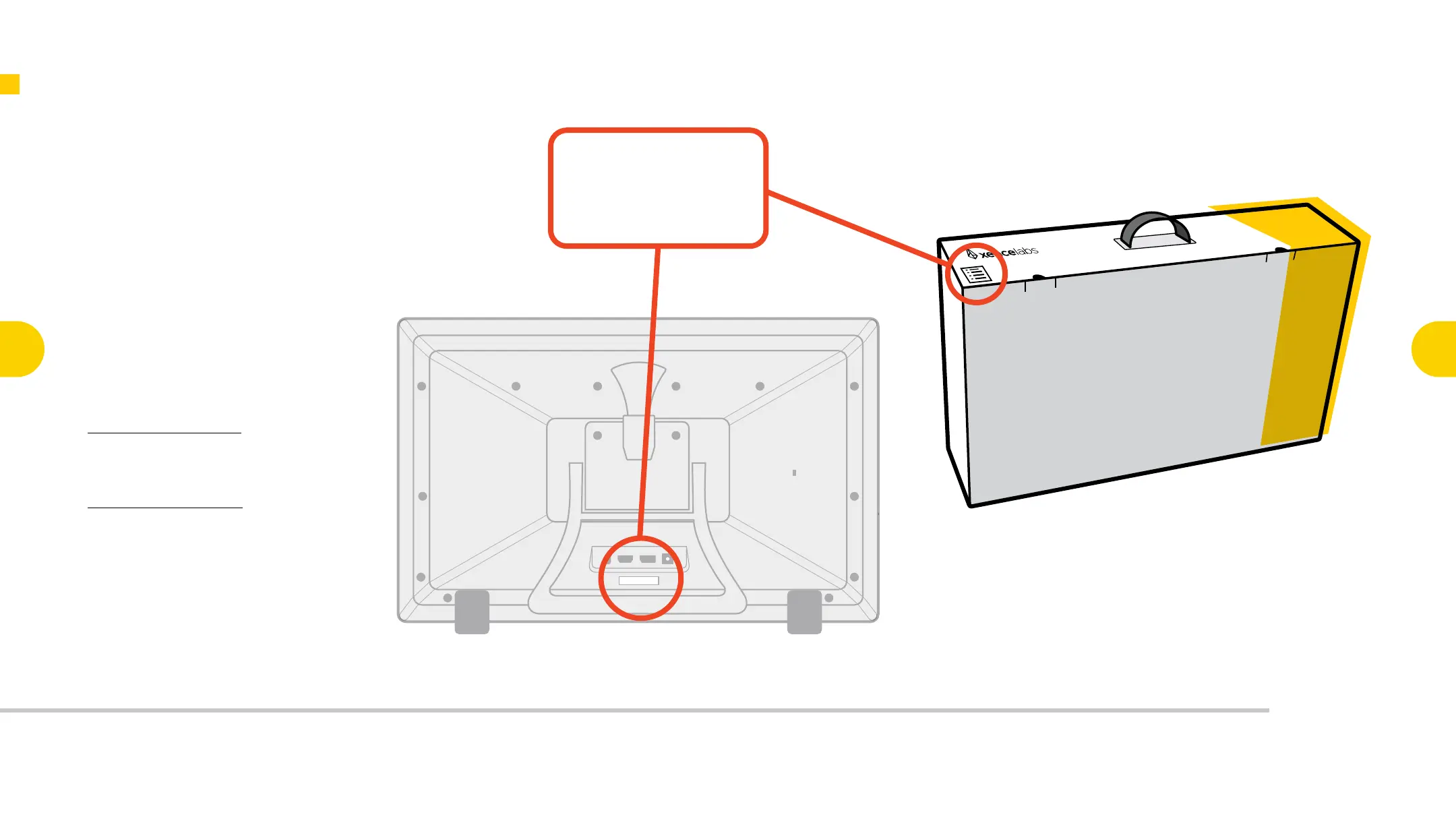
Locate Your Serial Number
Your product serial number can
be found on both your box, and
the back of your pen display
below the connection ports.
Key Features of the
Pen Display 24
3
Connecting the
Pen Display 24
4
Key Features of
the Quick Keys
6
Connecting
Quick Keys
Wirelessly
7
Key Functionality
of the
Pen Display 24
9
Key Functionality
of the
Quick Keys
10
Register Your
New Product
11

 To Next Page
 Loading...