Device and application6.5
P3-1060
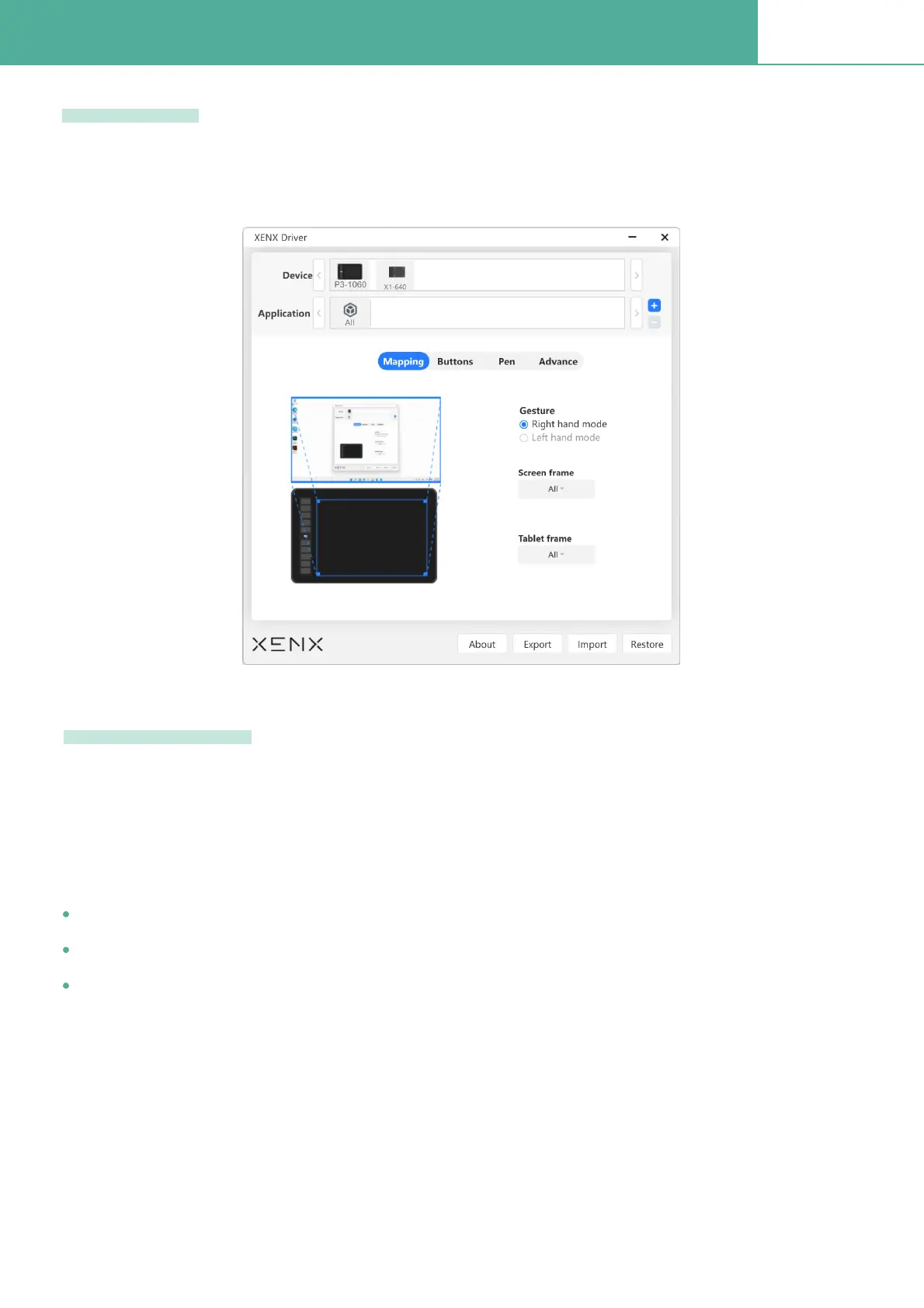
If you have multiple Xenx devices, Xenx driver will create different proÞles for each device. Click
the device icon to view the settings of this proÞle
You can also set different settings proÞle for different software applications. By default, settings will
be applied to all applications. It will be useful to have application speciÞc settings especially for the
shortcut key deÞnitions.
To create an application speciÞed setting proÞle:
Device list
Application List
Frist, select the target device from the device list
In the application list, click the + button
Select the target application you want to create a setting proÞle


 To Next Page
 Loading...