www.xerox.com/office/support
5 3
2
1
9
8
7
4
6
Available apps can vary based on your printer setup. For details about apps and features, refer to the User
Guide.
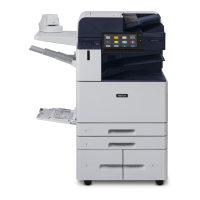
Control Panel
Xerox
®
AltaLink
®
C8230/C8235/C8245/C8255/C8270
Color Multifunction Printer
Home returns to the main app screen.
Power/Wake starts the printer or provides options to sleep, restart or power off the printer.
Reset restores settings to their default values in all apps.
Language provides choice of screen languages.
Log In provides special access to tools and settings.
Device app provides access to printer information and settings.
Notification banner shows printer status and warnings. To see all notifications, touch the banner. To close the banner, touch
the down arrow.
Status LED indicates printer status. For detailed information, refer to the User Guide.
NFC Area allows pairing with a mobile device to print or scan from an app.
1
2
3
4
5
6
7
8
9

 Need help?
 General







 To Next Page