EasyManua.ls Logo

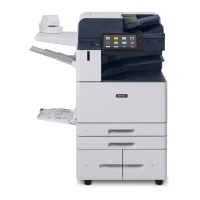
Xerox AltaLink B8045 - User Manual

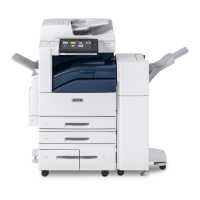
Xerox AltaLink B8045
70 pages
Print Icon
To Next Page IconTo Next Page
Loading...
Xerox® Product Security Guide and Information Assurance Disclosure
Xerox
®
Security Guide
Office Class Multi-Function Products &
Single-Function Printers
AltaLink
®
Multi-
Function Products
VersaLink
®
Multi-
Function Products
VersaLink
®
Printers
B8045, B8055, B8065,
B8075, B8090
B405, B605, B615,
B7025, B7030, B7035
B400, B600, B610
C8030, C8035, C8045,
C8055, C8070
C405, C505, C605,
C7020, C7025, C7030
C400, C500, C600,
C7000, C8000, C9000
February 2018 update

Table of Contents

Other manuals for Xerox AltaLink B8045

Questions and Answers

  • M
    Michelle RamirezAug 13, 2025
    Why authentication failed on Xerox All in One Printer?
    • S
      Stephanie AtkinsAug 13, 2025
      Authentication can fail on your Xerox All in One Printer if the Domain Controller IP Address or Host Name is incorrect. To resolve this, verify that the server address is entered correctly. Also, verify that the Domain was configured properly. A network error can also cause this issue, so check that the network cable is connected firmly.
  • S
    Scott MillerAug 17, 2025
    What to do if Xerox All in One Printer says passcode is incorrect?
    • J
      julie73Aug 17, 2025
      If your Xerox All in One Printer indicates that the passcode entered was incorrect, carefully re-enter the PIN. Note that consecutive incorrect entries can lead to your card being locked.
  • C
    Carl MendozaAug 21, 2025
    What to do if the card reader is not detected on Xerox AltaLink B8045?
    • C
      cookwilliamAug 21, 2025
      If the card reader is not detected on your Xerox All in One Printer, verify that the card reader is connected properly. If you suspect the reader has failed, try swapping it with a known working reader.
  • S
    Stephanie DiazAug 25, 2025
    What to do if authentication failed on Xerox AltaLink B8045 due to server certificate?
    • S
      Scott EricksonAug 25, 2025
      This problem with your Xerox All in One Printer usually occurs because the device does not trust the certificates on the Smart Card. Ensure that all the chain of trust certificates are imported on the device. Check the Operators Smart Card to see which Root CA and Intermediate CA issued the Smart Card certificates.
  • A
    Angela HunterAug 28, 2025
    How to fix invalid timestamp error on Xerox AltaLink B8045?
    • S
      Steven PollardAug 28, 2025
      To fix the invalid timestamp error on your Xerox All in One Printer, verify that Network Time Protocol is set up correctly. If you are not using DHCP, verify the date and time and GMT Offset, or Time Zone is correct. Also verify that GMT offset is correct for Daylight Savings Time.
  • B
    bromeroSep 1, 2025
    What to do if the card reader is installed but no message appears on Xerox All in One Printer?
    • R
      Ronald ConwaySep 1, 2025
      If the card reader is installed but no message appears on the User Interface of your Xerox All in One Printer, it could be due to several reasons: * The card reader may be faulty, so try a different card reader. * The card reader connection may be faulty. Check that the cable is plugged in correctly, unplug the card reader cable, then plug it back in, or plug the card reader into a different USB port. * The card reader may not be compatible. Check that the card reader is on the list of compatible devices. * Smart Card access may not be enabled on the device. Use Internet Services to enable Smart Card through the Properties setup screens.
  • S
    Stanley WallaceSep 5, 2025
    Why I cannot see the Internet Services web page for Xerox AltaLink B8045 All in One Printer?
    • A
      Adrian WileySep 5, 2025
      If you cannot see the Internet Services web page for your Xerox All in One Printer, the IP Address might be incorrect or was reset. Check the IP Address printed on the configuration report and ensure the DHCP settings match your site settings. To print a configuration report at the Xerox device, select Device, then Information Pages. Select the Configuration Report from the list, then select Print.
  • O
    Olivia SandersSep 8, 2025
    What to do if login was successful but I don't have access to the operation I requested on Xerox AltaLink B8045 All in One Printer?
    • D
      Darius CoffeySep 8, 2025
      If the login was successful, however you do not have the appropriate access to the operation you requested on Xerox All in One Printer, check the authorization method, because LDAP is not configured properly or the local user permission roles are not configured properly.

Summary

User Data Protection Measures

Data Protection Within Product

Covers security controls for data resident within the device, including encryption.

Media Sanitization and Image Overwrite

Explains methods for securely erasing data from magnetic media.

Network Security Features

Network Encryption Protocols

Discusses encryption protocols like IPSec for secure network communications.

Network Access Control Mechanisms

Covers 802.1X authentication and Cisco Identity Services Engine (ISE) integration.

Device Security Controls

Runtime Intrusion Prevention

Details measures to prevent unauthorized code execution and detect memory tampering.

Identification, Authentication, and Authorization

Authentication Methods Overview

Lists the various authentication modes supported by Xerox devices.

Network Authentication Providers

Covers authentication via external servers like LDAP, Kerberos, and SMB.

Xerox AltaLink B8045 Specifications

General IconGeneral
Print SpeedUp to 45 ppm
Monthly Duty CycleUp to 200, 000 pages
Automatic DuplexingYes
Control Panel10.1-inch color touchscreen
FunctionsPrint, Copy, Scan, Fax
Memory4 GB
Copy ResolutionUp to 600 x 600 dpi
Scan ResolutionUp to 600 x 600 dpi
ConnectivityEthernet, USB, Wi-Fi
Scanner TypeDuplex Automatic Document Feeder
Copy SpeedUp to 45 ppm
Mobile PrintingApple AirPrint, Google Cloud Print
Print Resolution1200 x 1200 dpi
Hard Drive320 GB (optional)

Related product manuals