77
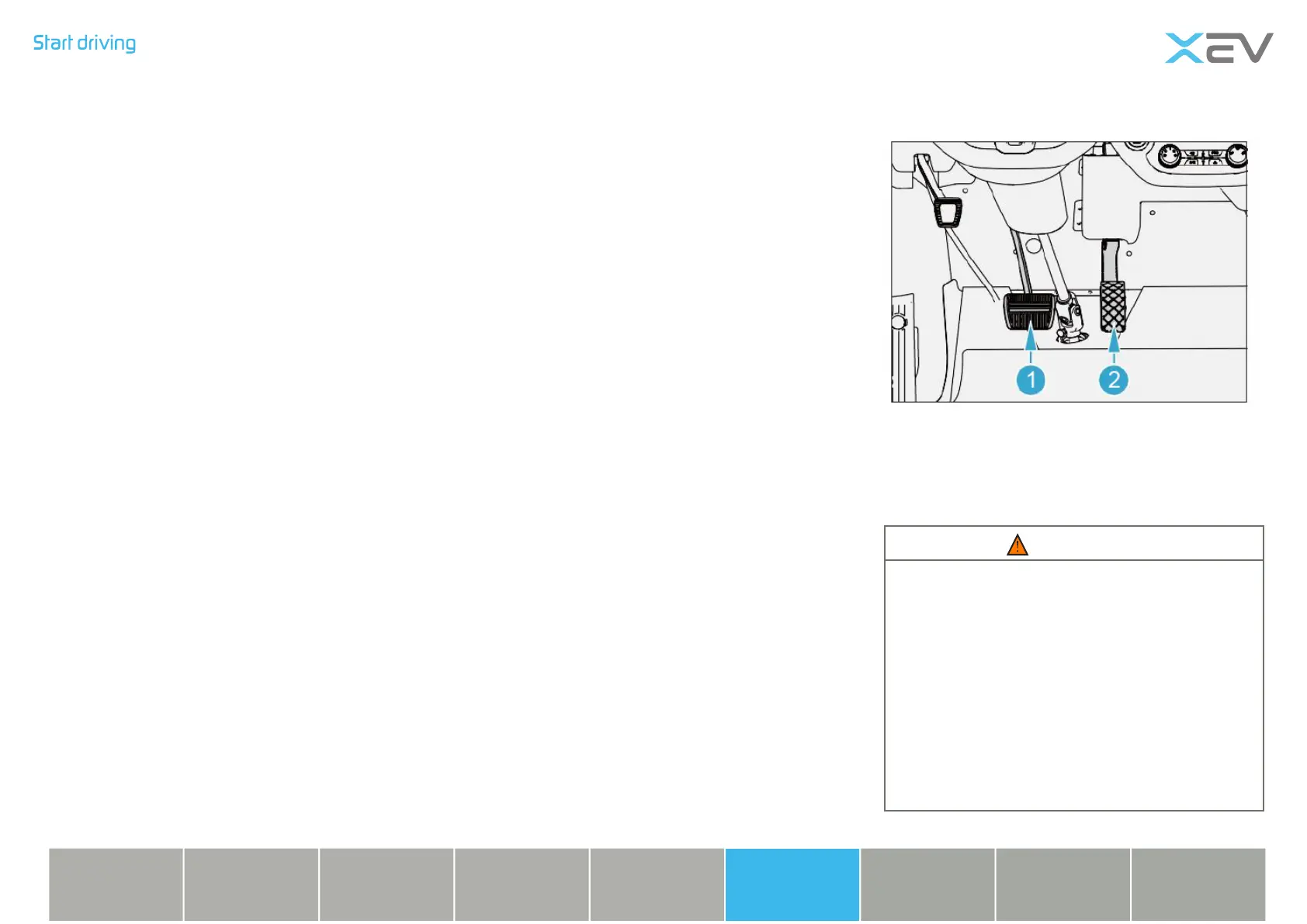
Pedal
1 brake pedal
2 accelerator pedal
WARNING
• Do not store any items in the driver’s
foot space. Because the items may
slide into the pedal area, hampering
the driver’s operation of the pedal,
emergency braking or in case of
emergency, the driver can not operate
the brake pedal or accelerator pedal,
easy to cause traffic accidents.
• Driving in high-heeled shoes is
prohibited.
Start the vehicle
- Make sure the remote control keys are in
the car;
- Conrm that the switch of the gear knob is
turned to the “N” gear position;
- Step down the brake pedal;
- Press the start/stop button, at the moment,
the “READY” is lit on the instrument.
- Release the parking brake pedal.
Low power consumption function
BCM Dormancy condition
After the vehicle enters the fortication state,
the BCM enters the sleep mode for 2s; When
the vehicle exits the fortication state or
enters the alarm state, the BCM will enter the
normal working state from the sleep mode
within 0.2 seconds.
BCM CAN network Dormancy condition
• IGN OFF, CAN stops after 10s;
• The door is closed within 10s, and there
is no switch action or remote control
command or IGN is opened.
• The remote control is successfully locked,
and CAN sleeps immediately.
• Other modules of the CAN network do
not send CAN messages or commands,
and the CAN signal is dormant for 10S.
BCM wake-up conditions
• ACC ON (one key start press).
• Any car door is opened, or an anti-theft
alarm is issued.
• Receive commands or data from other
modules on the CAN bus.
• BCM module wake up request signal
received.
• Remote control to open, lock, remote
control to nd the car.
• The emergency switch is down.
• Open and close Windows by remote
control.
• The brake pedal is down.
Charging
device
Lighting
device
Vehicle
device
Emergency
treatment
Technical
information
Instrument &
control devices
Safety
device
Starting &
driving
Repair &
maintenance



 To Next Page