Reset Hole
·Quickly press into the reset hole on the bottom of the radio to reset the
microprocessor. It is recommended to use a toothpick or other soft device
to reset the radio.
·Do not press to hard as you might damage the radio.
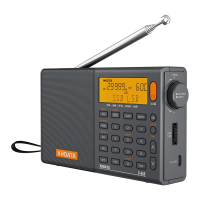
FM/AIR/SW Antenna
·Flip up and fully extend the whip antenna. For most stations, reception is
best when antenna is positioned vertically. Other stations may have better
reception with the antenna positioned differently.
Handle Carry
·Use this carry strap for easy carrying when walking or camping outdoors.
Temperature Display
·When the radio is off, press and hold down #3 button for 2 seconds and
then quick press to change the display between °C and °F.


 To Next Page