Need help?
Do you have a question about the Xiamen Rongta Technology RPP02N and is the answer not in the manual?
Provides critical safety guidelines for printer operation, covering battery, external factors, and handling to prevent hazards.
Outlines proper usage conditions and precautions, including water exposure, paper handling, IR communication, and temperature limits.
Details recommended storage environment for the printer and thermal paper, including temperature, humidity, and battery handling for long-term storage.
Emphasizes crucial safety warnings for battery handling, charging, and disposal to prevent overheating, explosion, and damage.
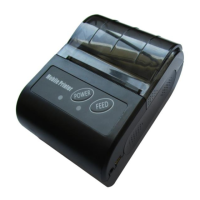
Illustrates and labels the external components of the mobile thermal printer, detailing key parts like buttons, indicators, and ports.
Lists and depicts the standard and optional accessories included with or available for the mobile thermal printer.
Details the printing specifications including printing way, paper width, resolution, speed, thickness, and supported content types.
Specifies the physical dimensions, weight, scroll diameter, and available interface types for the printer.
Defines the operational and storage conditions, including working and storing temperature and humidity ranges.
Covers paper loading mechanism, paper end detection, and the printing command compatibility.
Guides the user through initial setup steps, including battery installation and paper roll loading for the printer.
Explains fundamental printer operations such as powering on, powering off, performing a self-test, and manual paper feeding.
Details how to connect the printer via serial, USB, and Bluetooth interfaces, including pairing procedures.
Explains the meaning of indicator lights (feed, power) and buzzer signals for printer status and errors.
 General
| Product Name | RPP02N |
|---|---|
| Manufacturer | Xiamen Rongta Technology |
| Category | Printer |
| Type | Mobile Printer |
| Printing Method | Direct Thermal |
| Resolution | 203 dpi |
| Print Speed | 80 mm/s |
| Printing Width | 48 mm |
| Paper Width | 58 mm |
| Interface | Bluetooth, USB |
| Operating System | Android, IOS, Windows |
| Roll Diameter | 40 mm |
| Battery | 7.4V/1500mAh |
| Charging Time | 3 hours |

 To Next Page