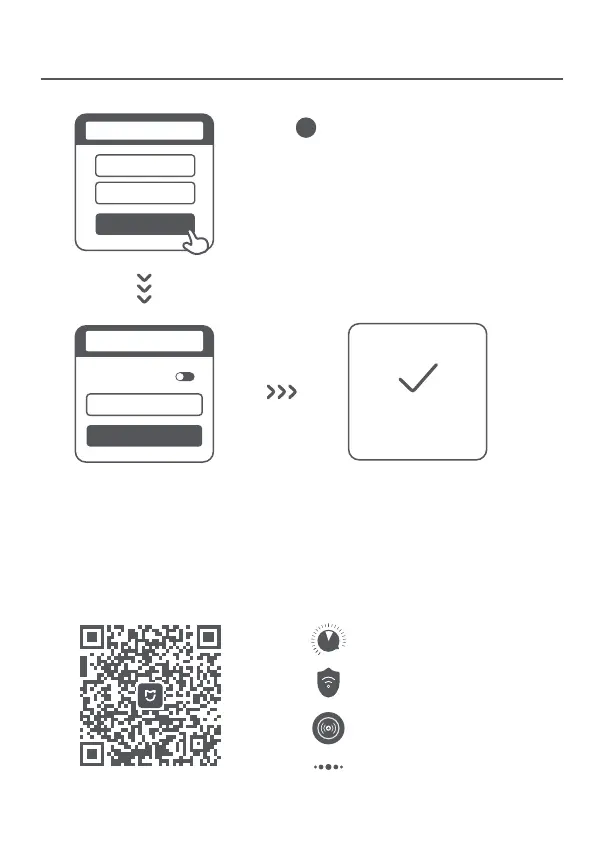
3
4
QoS
Wi-Fi optimization
Unauthorized access prevention
More features
The web management website is router.miwifi.com and supports basic Internet functions.
Scan the QR code, download the Mi Home / Xiaomi Home app, and manage your router
anytime, anywhere.
Managing Mi Wi-Fi
Admin password
Done
Set admin password
Same as Wi-Fi
password
Network established
successfully
* Please wait until the indicator light turns blue
and stops flashing, then reconnect to the Wi-Fi
Set a new Wi-Fi and administrator password.
You can choose to use your Wi-Fi password
as your administrator password as well
Next
Wi-Fi password
Wi-Fi name
Seing Wi-Fi






 To Next Page