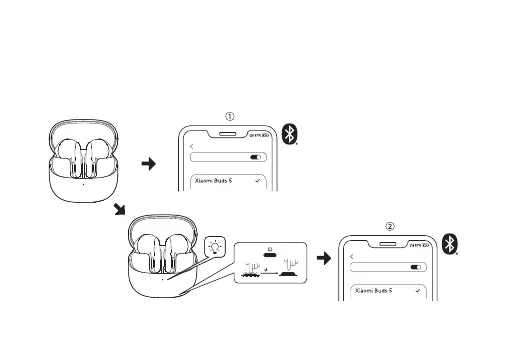
Dual-Device Connection
Connect the earbuds to two Bluetooth devices simultaneously for added convenience. After connecting
the earbuds to the first device, place them in the charging case with the lid open. Press and hold the
function button for 2 seconds until the indicator light blinks white, indicating the earbuds are ready to
pair with a second device.
Note:
Dual device connection is off by default, if you need to use it, please turn on this function in the Xiaomi Earbuds App.
Bluetooth
MY DEVICES
Bluetooth
MY DEVICES
04
2s




 To Next Page