11
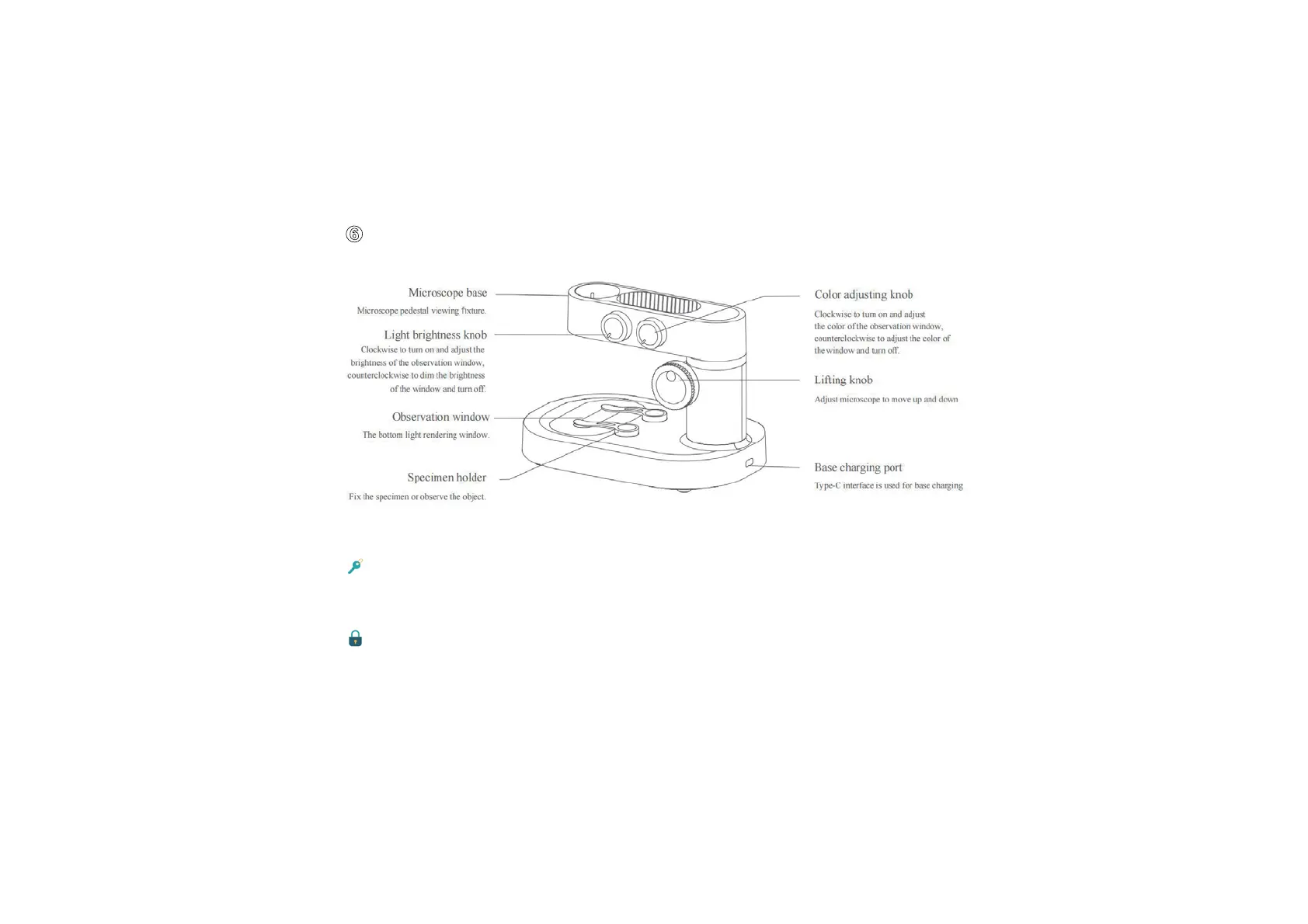
做 Microscope Base Introduction
Opening and closing the microscope base
Turn the light brightness knob clockwise and hear a “click”,the observation window will light
up,which means the microscope base has been opened.
Turn the light brightness knob counterclockwise and hear a “click”,the observation window
will go out,which means the microscope base has been closed.
(Note: After the microscope base is closed,be sure to close the microscope monomer and cover the lens cover at the same time.)


 To Next Page