8
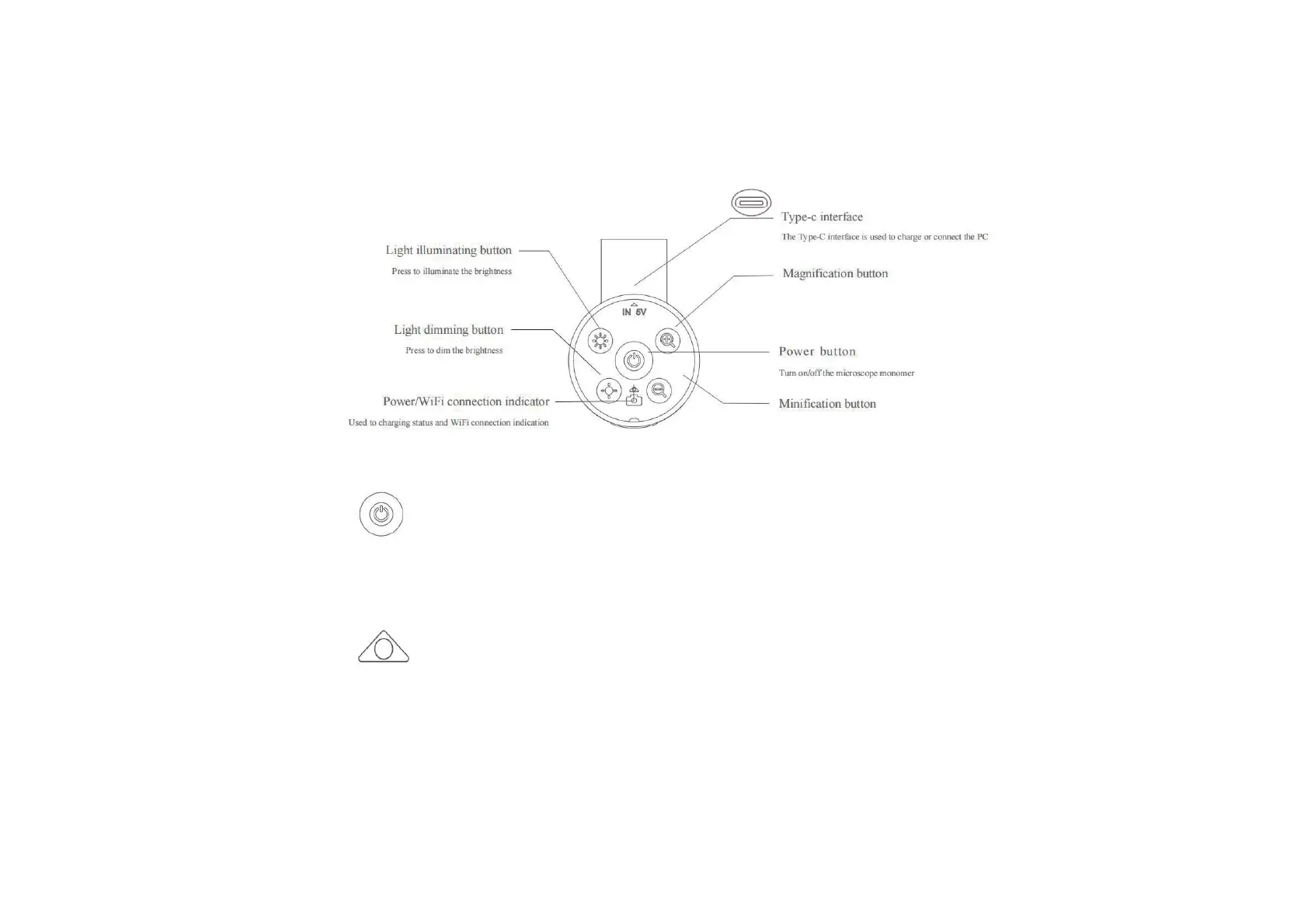
Power button: Long press the button for 3s,and the light on the microscope monomer or the light on the
microscope base will light up,which means the microscope has been turned on.Press for 3s again,when the
light goes out,means the microscope has been turned off.
Power/WiFi connection indicator: When the battery is low,the blue light flashes quickly.When
charging,the red light is always on.The blue light is always on when WiFi is successfully connected,and
the blue light flashes when WiFi is not connected.


 To Next Page