07
Environmental Notice
The rechargeable lithium-ion battery pack of this vacuum cleaner contains chemicals that may pollute the
environment. Before disposing of the vacuum cleaner, remove the batteries and then discard them at an
appropriate recycling facility.
- The battery must be removed from the appliance before it is scrapped.
- The appliance must be disconnected from the supply mains when removing the battery.
- The battery is to be disposed of safely.
Cautions:
• Make sure the vacuum cleaner is disconnected from power and the batteries are fully drained before battery
removal.
• Take the removed batteries to the professional recycling facility to properly dispose of them.
• Do not leave the batteries in a high-temperature environment; otherwise, they may explode.
• In the event of a battery leak, avoid contact with the liquid. If the liquid enters the eyes, rinse with plenty of water
and seek medical attention immediately.
Steps to Remove the Battery:
1. Remove the five screws from the lower cover of the vacuum cleaner and remove the lower cover.
2. Remove the rear cover of the battery pack and take out the wiring.
3. Remove the two screws from the front cover of the vacuum cleaner and remove the front cover.
4. Remove the rear cover and unplug the switch wiring from the circuit board.
5. Remove the main body, detach the connector, and take out the battery pack.
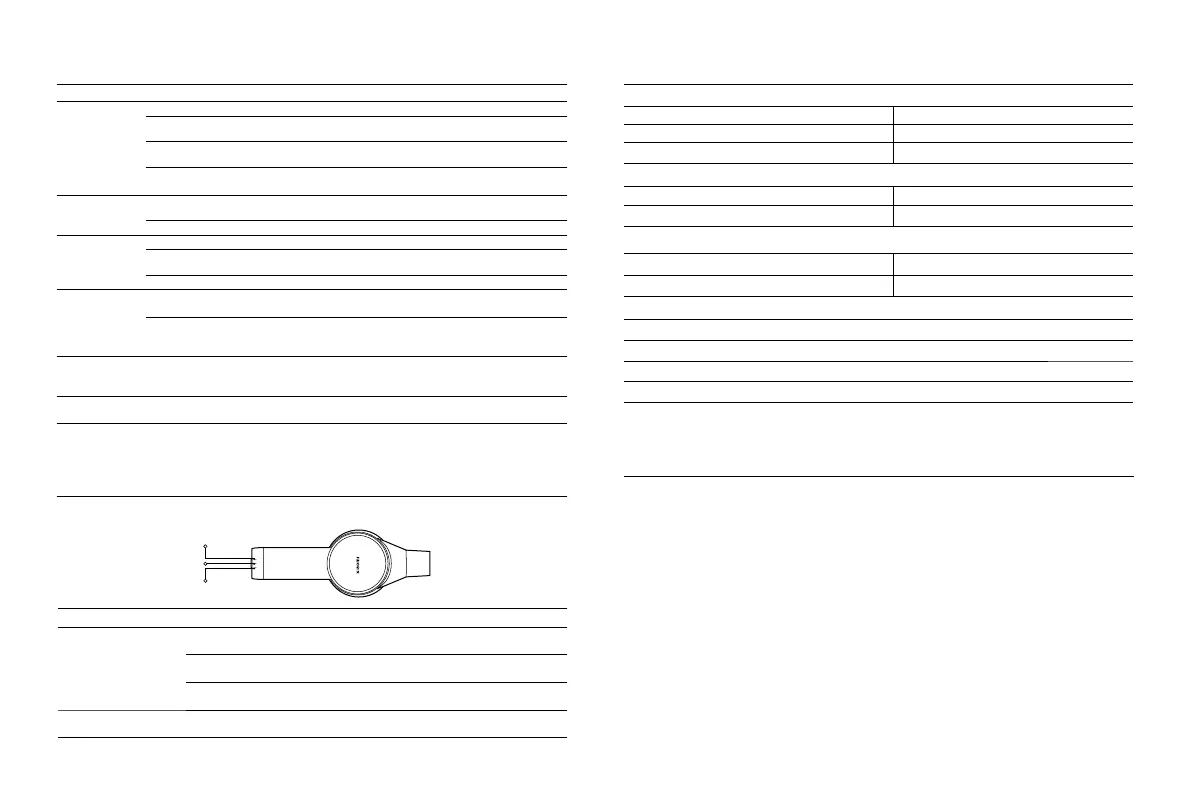
LED 1
LED 2
LED 3
Error message Possible Cause Solution
LED 1, LED 2 and LED
3 blink red three times
simultaneously.
The power supply has an error.
Only use the genuine power supply to charge
the vacuum cleaner.
The battery overheat
protection is triggered.
Wait until the battery temperature returns
to normal, and then try to use it again.
The battery cell, temperature
sensor, or motor has an error.
Contact the after-sales service team.
LED 1 blinks red 10 times.
The battery is depleted.
Only use the genuine power supply to charge
the vacuum cleaner.
Troubleshooting
If the vacuum cleaner is not working properly, the battery level indicator will display an error message. Refer to the
table below for troubleshooting.
Xiaomi Vacuum Cleaner G20
Name Cordless Vacuum Cleaner Model D205
Rated Voltage 25.2 V
⎓
Rated Power 460 W
Charging Voltage 31.0 V
⎓
Net Weight 3.7 kg
Electric Brush Bar (Equipped with Headlight)
Model D205-DS Rated Voltage 21.6 V
⎓
Rated Power 30 W
Mini Electric Brush
Model D205-MN Rated Voltage 21.6 V
⎓
Rated Power 10 W
Power Supply
Manufacturer FOSHAN SHUNDE GUANYUDA POWER SUPPLY CO., LTD.
Model GC32-310100-1A
Rated Input 100–240 V
~
50/60 Hz 1.0 A
Rated Output 31.0 V
⎓
1.0 A
Specifications
Common Issue Possible Cause Solution
The vacuum
cleaner does not
work.
Battery is depleted. Charge the vacuum cleaner before use.
The suction opening, air duct, pre-filter,
or post-filter is blocked.
Check and clean immediately.
The filter, pre-filter, or post-filter is not
installed in place.
Check and install in place.
The battery overheat protection is
triggered.
Wait until the battery temperature returns to
normal, and then try to use it again.
The suction
power reduces.
The dust compartment is full, or the pre-
filter or the post-filter is blocked.
Check and clean immediately.
Brush head is clogged. Clean the brush head.
Low battery life.
Battery is not fully charged. Charge the vacuum cleaner before use.
The dust compartment is full, or the pre-
filter or the post-filter is blocked.
Check and clean immediately.
Brush head is clogged. Clean the brush head.
The roller brush
does not rotate.
The roller brush is stuck by foreign
objects.
Remove any foreign object, and then resume use.
The conductive contacts on the brush
head or extension rod are dirty.
Turn the vacuum cleaner off, and remove the
brush head. Wipe the conductive contacts with a
soft, dry cloth, then try again.
The vacuum
cleaner does not
charge.
The power supply being used is not
genuine.
Only use the genuine power supply to charge the
vacuum cleaner.
The battery
charges slowly.
The battery overheat protection is
triggered.
Wait until the battery temperature returns to
normal, and then try to use it again.
Note
:
If the solutions above do not resolve the issue, please contact the after-sales service team.
Common Issue






 To Next Page