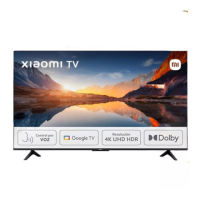
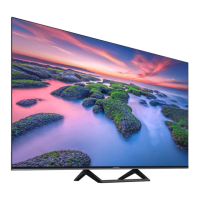
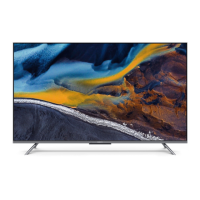
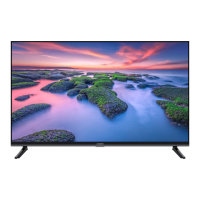
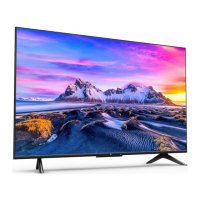
This document serves as a user manual for the Xiaomi TV A Pro 55", providing essential information for its installation, usage, maintenance, and safety.
The Xiaomi TV A Pro 55" is a television designed for home entertainment, offering a range of functionalities for viewing various media. Its primary function is to display video content from multiple sources, including broadcast television, external media players, and internet-based streaming services. The TV is equipped with several input ports to accommodate different devices, such as HDMI for high-definition sources like Blu-ray/DVD players, computers, and game consoles; USB for connecting storage devices; AV input for older composite video sources; and Ethernet for wired internet connectivity. It also features optical and network ports, as well as satellite and antenna tuners for receiving broadcast signals. For audio output, an earphone jack is available, and the TV supports common interface (CI) cards for conditional access to encrypted content.
Usage Features:
The TV is designed for straightforward setup and operation. For initial installation, the manual outlines a four-step process:
- Unpacking: Carefully remove the TV and its accessories from the packaging. The accessories typically include a remote control, screws, and stands.
- Lifting: Two people are recommended to safely lift the TV out of its box, holding it by the sides to avoid pressure on the screen.
- Positioning: Place the TV face down on a soft, flat surface, such as a table covered with a cloth, to prepare for stand installation or wall mounting.
- Stand/Wall Mount Installation: Attach the provided stands or prepare the TV for wall mounting according to the instructions.
Once set up, the TV can be connected to various media sources. HDMI ports allow for high-quality digital connections to devices like Blu-ray/DVD players, computers, game consoles, and digital set-top boxes. USB ports enable playback of media files directly from USB drives. The AV input supports older devices that use composite video and stereo audio connections. For internet access, the TV can be connected via an Ethernet cable or Wi-Fi, enabling access to online content and smart TV features. The satellite and antenna inputs allow for reception of broadcast television channels.
The TV supports a variety of audio and video formats, ensuring compatibility with most modern media. It is equipped with Bluetooth for connecting wireless accessories, such as headphones or speakers. The smart TV capabilities, often powered by an operating system like Google TV, provide access to a wide range of applications, streaming services, and other online content. The remote control allows for easy navigation through menus, channel selection, volume control, and access to smart TV functions.
Maintenance Features:
Proper maintenance is crucial for the longevity and optimal performance of the Xiaomi TV A Pro 55". The manual provides guidelines for cleaning and general care:
- Screen and Case Cleaning: Before cleaning, always disconnect the AC power cord from the outlet. Use a soft cloth to gently wipe away dust from the screen and case. For more stubborn dust, a soft cloth lightly moistened with a mild detergent can be used. Avoid spraying water or detergent directly onto the TV, as this can cause malfunctions if liquids drip into internal components. Do not use abrasive scrub pads, alkaline/acid cleaners, scouring powder, or volatile liquids like alcohol, volatile oils, thinners, or insecticides, as these can damage the screen surface and casing materials. Prolonged contact with rubber or vinyl products should also be avoided.
- Ventilation: To ensure proper ventilation and prevent dust buildup, keep the ventilation holes clear and avoid covering them. Maintain a clear space around the TV.
- AC Power Cord Care: The AC power cord should be handled with care to prevent fire, electric shock, or damage. Ensure the plug is fully inserted into the AC outlet. Unplug the cord before connecting or disconnecting other cables, moving the TV, or performing any maintenance. Keep the power cord away from heat sources. Regularly clean the AC power plug to prevent insulation deterioration caused by dust and moisture. Avoid pinching, bending, modifying, or twisting the power cord, and do not place heavy objects on it. Do not pull the AC power cord when disconnecting it from the outlet. Avoid connecting too many devices to a single AC power outlet and do not use unsuitable outlets.
- Environmental Considerations: The TV should not be installed or used in places with direct sunlight, high humidity, excessive dust, or near flammable objects. It should not be exposed to dripping or splashing water, and no liquid-filled items should be placed on top of it. Avoid using the TV in environments with steam or fumes, such as near a stove or humidifier.
- Storage: If moving the TV or storing it, use the original box and packaging materials to protect it.
- Troubleshooting: In case of problems such as a damaged AC power cord, an unsuitable AC power outlet, physical damage to the TV, or liquid/solid objects falling into the case, immediately turn off the TV, unplug the AC power cord, and contact a qualified Xiaomi repair center for service.
Safety Precautions:
The manual emphasizes several safety precautions to prevent injury, damage, or malfunction:
- Installation Safety: Install the TV near an easily accessible AC power outlet. Place the TV on a smooth, flat surface to prevent it from falling. If wall-mounting, use an authorized TV wall mount and the correct screws to avoid internal damage or the TV falling.
- Moving Safety: Disconnect all cables before moving. Two or more people are needed to move large TVs safely. Avoid applying pressure to the LED panel, shaking the TV, or exposing it to excessive vibrations during movement.
- Children's Safety: Do not allow children to climb on the TV. Keep small objects out of reach of children to prevent swallowing.
- Optional Items: Keep optional accessories or devices that emit electromagnetic radiation away from the TV to avoid image distortion or noise.
- Screen Damage: Do not throw objects at the TV, as this can break the screen and cause serious injury. If the screen surface is damaged, do not touch it before unplugging the AC power cord to avoid electric shock.
- Operating Conditions: The TV should be operated within a temperature range of 0°C-40°C and stored between -15°C-45°C, with relative humidity below 80%.
- Viewing Habits: Watch TV in appropriate lighting conditions. Prolonged viewing in insufficient light can damage eyesight. It is normal for the screen and case to become warm during operation.
- Disposal: The TV contains hazardous substances and should not be disposed of in municipal waste bins. It should be taken to an authorized collection center, registered dismantler, or recycler for proper disposal and recycling. Do not dismantle the product yourself or give e-waste to informal sectors.
The Xiaomi TV A Pro 55" is designed to comply with European Union RoHS directives and other relevant regulations, ensuring that it meets environmental and safety standards. The EU Declaration of Conformity and information on RF frequency and power are provided, indicating compliance with Directive 2014/53/EU. The device is restricted to indoor use only when operating in specific frequency ranges in certain EU countries.

 Need help?
 General

 To Next Page