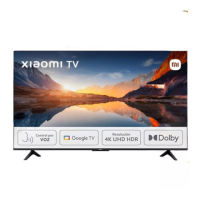
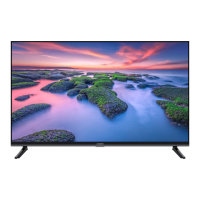
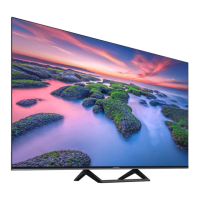
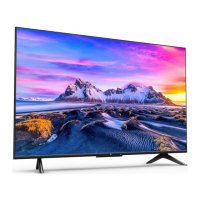
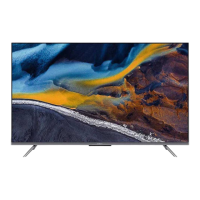
This document describes a Xiaomi television, likely a smart TV, with models L50M7-Q2EU (50-inch) and L55M7-Q2EU (55-inch). It provides instructions for setup, connection, technical specifications, and important safety precautions.
Function Description:
The device is a television designed for home entertainment, offering high-resolution display (4K UHD) and various connectivity options for external devices. It supports smart TV functionalities, likely powered by Android TV, given the mention of Google, YouTube, and Android TV as trademarks of Google LLC. The TV is capable of displaying video content from multiple sources, including digital set-top boxes, Blu-ray/DVD players, computers, game consoles, and network streaming. It also features integrated audio technologies like Dolby Audio, Dolby Atmos, and DTS-X for an immersive sound experience.
Important Technical Specifications:
- Models: L50M7-Q2EU (50-inch) and L55M7-Q2EU (55-inch).
- Screen Resolution: 3840x2160 (4K UHD).
- Screen Size: 125cm (50-inch model) and 138cm (55-inch model).
- Power Consumption: 140W (50-inch) and 160W (55-inch).
- Voltage: 200-240V~50/60Hz.
- Refresh Rate: 60Hz.
- CPU: Quad-core Cortex-A55.
- RAM: 2GB.
- Flash Storage: 16GB.
- Graphics Processor: Mali G52 MC1.
- Wi-Fi: 2.4GHz/5GHz (dual-band support).
- Bluetooth: BT 5.0.
- Audio Formats Supported: Dolby Audio, Dolby Atmos, DTS-X, FLAC, AAC, OGG.
- Video Formats Supported: Dolby Vision, MPEG 1/2, H.263, H.264, H.265, VP8, VP9, AV1.
- Connectivity Ports:
- Multiple HDMI ports (including 2 (eARC) for enhanced audio return channel).
- Multiple USB 2.0 ports.
- Common Interface (CI) slot for CI CARD.
- Ethernet port for wired network connection.
- AV Input (RCA composite).
- Optical audio output.
- Earphone jack.
- Satellite input.
- Antenna input (Tuner).
- Network (Ethernet) and Optical ports are also highlighted.
Usage Features:
- Setup: The manual illustrates a four-step setup process:
- Unboxing the TV and identifying accessories (remote control, screws, stand components).
- Carefully lifting the TV out of the box with two people.
- Placing the TV face down on a soft, flat surface (e.g., a table covered with a cloth) for stand installation.
- Installing the stand components (screws and stand bases are shown).
- Connectivity: The TV offers a wide range of input/output options, allowing connection to various devices such as Blu-ray/DVD players, computers, game consoles, digital set-top boxes, and HD players. It supports both wired (Ethernet, AV composite, HDMI) and wireless (Wi-Fi, Bluetooth) connections.
- Smart TV Capabilities: The presence of a CPU, RAM, flash storage, and Wi-Fi/Bluetooth indicates smart TV functionalities, likely including app access, internet browsing, and content streaming. The mention of Google, YouTube, and Android TV further confirms this.
- Audio Enhancement: Integration of Dolby Audio, Dolby Atmos, and DTS-X technologies provides advanced audio processing for a rich sound experience. Dolby Vision is also supported for enhanced visual quality.
- Remote Control: A remote control is included for convenient operation of the TV.
Maintenance Features:
- Cleaning:
- Always disconnect the AC power cord before cleaning.
- Use a soft cloth to remove dust from the screen/case.
- For persistent dust, use a soft cloth moistened with a mild detergent.
- Do not spray water or detergent directly onto the TV.
- Avoid using scrub pads, alkaline/acid cleaners, scouring powder, volatile liquids (alcohol, volatile oils, thinners, insecticides), or prolonged contact with rubber/vinyl products, as these can damage the screen or casing.
- Regularly clean the vents for proper ventilation.
- Power Cord Care:
- Insert the plug completely into the AC outlet.
- Use with a 200-240V AC power supply.
- Unplug the AC power cord before moving the TV or performing work.
- Keep the AC power cord away from heat.
- Clean the AC power plug regularly to prevent insulation deterioration from dust and water vapor.
- Avoid pinching, bending, modifying, or twisting the AC power cord.
- Do not place heavy objects on the AC power cord.
- Do not pull the AC power cord to disconnect power.
- Avoid connecting too many devices to one AC power outlet.
- Do not use unsuitable AC power outlets.
- Ventilation:
- Do not cover ventilation holes or insert objects into the case.
- Maintain space around the TV for ventilation.
- Avoid mounting the TV flat, upside-down, backwards, or side-mounted.
- Do not place the TV on a shelf, carpet, bed, or closet.
- Do not cover the TV with fabric (curtains) or other materials (newspapers).
- Disposal:
- The product should be returned to a nearby authorized Collection Centre, registered Dismantler, or Recycler for effective utilization of resources.
- Do not dispose of e-waste in municipal waste collection bins.
- Do not dismantle the product yourself.
- Do not throw electronics in bins with a "Do not Dispose" sign.
- Do not give e-waste to informal or unorganized sectors.
Safety Precautions (General):
- Installation: Install near an easily accessible AC power outlet, on a smooth, flat surface. If wall-mounting, use an authorized TV wall mount and correct screws.
- Moving: Disconnect all cables. Two or more people should move large TVs safely. Avoid pressure on the LED panel, shaking, or excessive vibrations. Use original packaging for transport if possible.
- Children: Prevent children from climbing the TV and keep small objects out of their reach to avoid swallowing.
- Optional Items: Keep accessories emitting electromagnetic radiation away from the TV to avoid image distortion or noise.
- Problem Situations: If the AC power cord is damaged, the AC outlet is unsuitable, the TV is damaged, or liquid/solid objects fall into the case, turn off the TV, unplug it, and contact Xiaomi repair center.
- Usage Restrictions (Environment): Do not install/use the TV outdoors (direct sunlight), by the sea, in a ship, inside a car, in a medical institution, at an unstable location, next to water, or in places exposed to rain, moisture, or mildew. Avoid hot, damp, dusty places, places with insects, places exposed to mechanical shock, or near flammable objects. The TV should not be exposed to dripping/splashing water.
- Usage Restrictions (Conditions): Do not use with wet hands, when the case is open, or with unauthorized accessories. Disconnect from AC power during lightning storms. Do not install in an open-air location.
- Screen Damage: Do not throw objects at the TV. If the screen surface is damaged, do not touch it before unplugging the AC power cord.
- Operating Conditions: Temperature: 0°C-40°C; Storage temperature: -15°C-45°C; Relative humidity: <80%.
- Eyesight: Watch TV in appropriate lighting conditions. Avoid watching in insufficient light or for long periods to prevent eyesight damage.
- Heat: The screen and case may get hot during operation, which is normal.
- Audio Decoding: Does not support decoding of DTS-CD bitstream from HDMI IN.
The device complies with RoHS Directive 2011/65/EU and its subsequent amendments (EU) 2015/863, and the radio equipment type MI TV is in compliance with Directive 2014/53/EU. The full EU Declaration of Conformity is available online. RF frequency bands and maximum radio-frequency power are specified, with indoor-only use restricted for 5150-5350MHz frequency range in certain EU countries.

 Need help?

 To Next Page
 General