How to Use
After successfully pairing with your device, the band will start
tracking and analyzing your daily activities and sleeping habits.
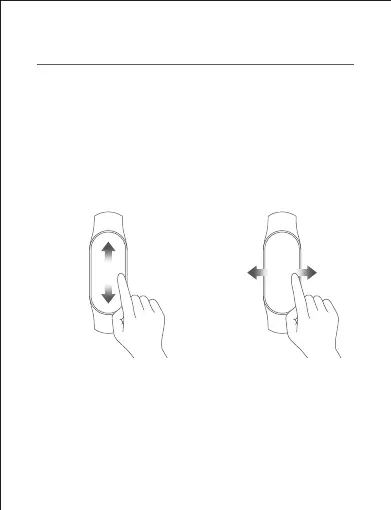
Tap the touchscreen to light it up.
Swipe up on the touchscreen to choose from functions, and
swipe down on the touchscreen to view notifications.
Swipe left or right on the touchscreen to quickly select a
shortcut.
Swipe up on the touchscreen to
choose from functions.
Swipe down on the touchscreen
to view notifications.
Swipe left or right on the
touchscreen to quickly
select a shortcut.



 To Next Page