
 Need help?
Do you have a question about the Xiaomi Mi 2S and is the answer not in the manual?
Overview of the charging case, including indicator light, function button, and charging port.
Overview of the individual earphones, detailing their L/R markings.
Details on how to charge the earphones and the charging case, including indicator light behavior.
Methods to check battery status for earphones and charging case, including Mi phone integration.
Automatic power-on behavior when opening the charging case.
How earphones enter sleep mode when placed back in the case.
Instructions on how to properly wear the earphones for optimal fit and lifespan.
Steps to pair earphones with a new Bluetooth device, including passcode entry.
Specific procedure for fast connection with Xiaomi phones.
Behavior when Bluetooth connection is lost or earphones are out of range.
How earphones automatically reconnect to the last used device.
Procedure to reset paired devices by clearing connection history.
How to answer or end calls by tapping the earphones.
Controls for music playback, pause, and voice assistant activation.
Warnings regarding battery handling, heat exposure, and disposal to prevent explosions or leaks.
Advice to avoid hearing damage by not listening at high volumes for extended periods.
The Mi True Wireless Earphones 2S are a pair of wireless earbuds designed for audio playback and communication, accompanied by a charging case that facilitates their power management and portability. The device aims to provide a seamless and convenient audio experience for users.
The primary function of the Mi True Wireless Earphones 2S is to deliver high-quality audio wirelessly from a connected device, such as a smartphone. They support music playback, allowing users to listen to their favorite tracks without the constraints of cables. Additionally, these earphones are equipped for handling incoming calls, enabling hands-free communication. A built-in voice assistant feature further enhances their functionality, providing quick access to various commands and information through voice prompts.
The accompanying charging case serves multiple critical functions. It acts as a protective storage unit for the earphones when not in use, safeguarding them from damage and loss. More importantly, it is the central hub for charging the earphones, ensuring they are always ready for use. The case itself is rechargeable, offering extended battery life for the earphones on the go.
The Mi True Wireless Earphones 2S are designed for ease of use, starting with their automatic power-on and sleep mode features. When the charging case lid is opened, the earphones automatically turn on, preparing for connection. Conversely, placing the earphones back into the case and closing the lid will automatically disconnect them from the paired device and put them into sleep mode, conserving battery.
Connecting the earphones to a new device is a straightforward process. Users place the earphones in the charging case, press and hold the function button for two seconds until the indicator light blinks, signaling they are ready for pairing. Then, they can enable Bluetooth on their device and select "Mi TW Earphones 2S" from the available devices. For Mi phone users, a fast connection feature simplifies this process even further: by holding the phone close to the open charging case, a notification will appear, guiding them through the connection.
Once connected, the earphones offer intuitive controls for various functions. For incoming calls, a gentle double-tap on either earphone allows users to answer or end a call. During music playback, a double-tap on the right (R) earphone will play or pause the music, while a double-tap on the left (L) earphone activates the voice assistant. Removing an earphone during playback will automatically pause the music, providing a convenient way to temporarily stop audio without manual interaction. If only one earphone is being used, a double-tap on that earphone will play or pause music.
The earphones also feature automatic connection capabilities. When taken out of the charging case, they will attempt to automatically connect to the most recently used Bluetooth device. If no connection history is found or if they fail to connect to a previous device, they will enter an awaiting connection mode, ready to be paired with a new device. In situations where the Bluetooth connection is interrupted, such as when the paired device's Bluetooth is disabled or the earphones are out of range, they will automatically enter awaiting connection mode. If they remain disconnected for five minutes, they will enter sleep mode, but wearing them again will wake them up and re-enter awaiting connection mode.
Checking the battery level is made convenient through several methods. After connecting to a phone, the earphones' battery level can be viewed on the phone's status bar. For the charging case, opening its lid or pressing the function button when closed will illuminate the indicator light: a steady light for five seconds indicates sufficient battery, while a blinking light signifies a low battery level, prompting immediate charging. Mi phone users can also get a detailed battery status for both the earphones and the charging case through a notification that appears when the phone is held close to the open charging case with Bluetooth enabled.
Proper maintenance of the Mi True Wireless Earphones 2S primarily revolves around charging and connection management to ensure optimal performance and longevity.
Charging the earphones is automatic when they are placed inside the charging case. The charging case itself can be recharged using a Type-C charger or by placing it on a compatible wireless charger. During charging, a red indicator light flashes, turning off after 10 seconds once fully charged. It is recommended to fully charge the earphones before their first use to activate them, as they are deactivated upon initial purchase. To activate, place them in the charging case and press the function button for five seconds.
To extend the lifespan of the earphones and prevent misplacement, users are advised to always place them back into the charging case after use. This not only protects them but also ensures they are charged and ready for the next use.
Clearing the connection history is a useful maintenance feature, especially when troubleshooting connection issues or preparing to pair the earphones with a new primary device. This can be done by placing the earphones into the charging case, then pressing and holding the function button on the case for more than 10 seconds. The indicator light will alternately blink red and white, signifying that the connection history has been cleared. After this, the charging case indicator will blink white, indicating the earphones are awaiting a new pairing.
The device also includes safety cautions regarding battery handling. Users are warned against exposing batteries to excessive heat, replacing them with incorrect types, disposing of them in fire or hot ovens, or mechanically crushing or cutting them, as these actions can lead to explosions or leakage. It is also advised to dispose of used batteries according to instructions and to avoid listening at high volume levels for long periods to prevent possible hearing damage. The product is designed to operate within a maximum ambient temperature of 40°C.
 General
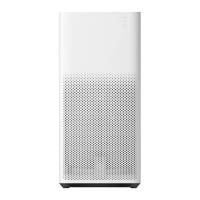
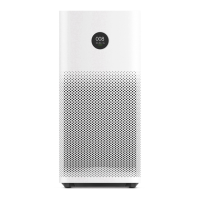
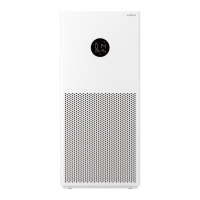
| Model | Mi Air Purifier 2S |
|---|---|
| CADR (Clean Air Delivery Rate) | 310 m³/h |
| Effective Area | 21-37m² |
| Smart Control | Yes, via Mi Home app |
| Connectivity | Wi-Fi 802.11 b/g/n |
| Power | 29W |
| Filter Type | HEPA |
| Dimensions | 240 x 240 x 520 mm |
| Control | App |
| Noise Level | 32-65 dB |




 To Next Page