Activate
Next
19 20
4
Tap "+" on the top right corner and open "Scan"
to scan the QR code on the label attached to
the control panel, on the right side of the deck,
or on the back cover of the user manual again.
Then follow the instructions in the app to add the
scooter.
Tippen Sie auf „+“ in der oberen rechten Ecke
und öffnen Sie „Scannen“, um den QR-Code
auf dem Etikett am Bedienfeld, auf der rechten
Seite des Decks oder auf der Rückseite der
Betriebsanleitung erneut zu scannen. Befolgen Sie
dann die Anweisungen in der App, um den Roller
hinzuzufügen.
EN
DE
3
Open the Xiaomi Home app.
Öffnen Sie die Xiaomi Home-App.
EN
DE
5
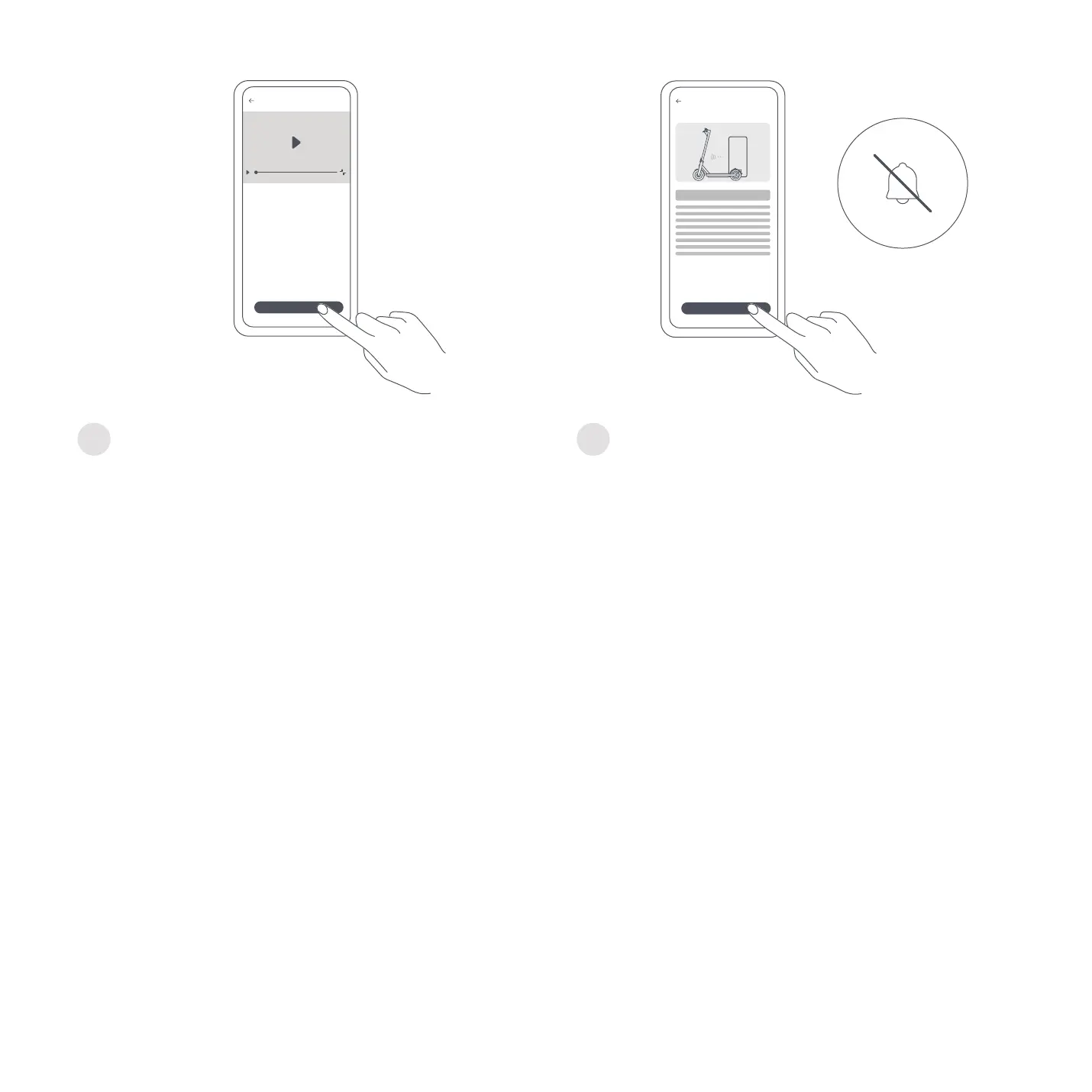
Watch the riding guide video. Do not exit the video
before finishing it. Otherwise, the activation will
fail.
Sehen Sie sich die Videoanleitung für das Fahren
an. Sie müssen das Video bis zum Ende ansehen.
Ansonsten schlägt die Aktivierung fehl.
EN
DE
6
Tap "Activate" to activate the scooter. Once the
scooter is activated, the beeping will stop and the
speed restriction will be lifted.
Tippen Sie auf „Activate“ (Aktivieren), um
den Roller zu aktivieren. Sobald der Roller
aktiviert wurde, hört das Piepen auf und
die Geschwindigkeitsbeschränkung wird
aufgehoben.
EN
DE
Note: The app is referred to as Xiaomi Home app in Europe (except for Russia). The name of the app displayed on your device should
be taken as the default.
Hinweis: Die App wird in Europa (ausgenommen Russland) als Xiaomi Home-App bezeichnet. Der auf Ihrem Gerät angezeigte Name
der App sollte standardmäßig verwendet werden.
EN
DE




 To Next Page