
 Need help?
Do you have a question about the Xiaomi Mi AirDots and is the answer not in the manual?
Hold touch panels to enter pairing mode and connect via Bluetooth settings.
Connect individual earphones for separate use by holding one touchpad.
Single tap for play/pause or answer; double-tap for voice assistant.
Hold to cancel calls; double-tap during calls to mute the microphone.
Compatible with Siri, Google Assistant, and Alice.
This document outlines the connection process, control features, and basic usage guidelines for the Xiaomi Mi AirDots.
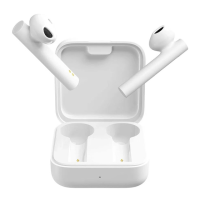
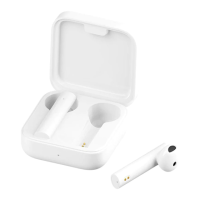
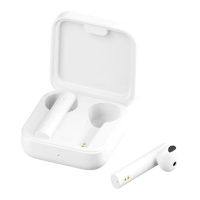
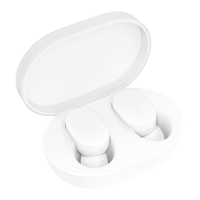
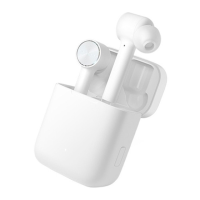
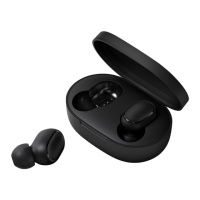
The Xiaomi Mi AirDots are wireless earphones designed for audio playback and call management. They function as a Bluetooth headset, allowing users to listen to music, podcasts, and other audio content, as well as make and receive phone calls. The device supports connection to various Bluetooth-enabled devices such as smartphones, tablets, and computers. A key feature is their ability to operate either as a stereo pair or as individual earphones, offering flexibility in usage. The right earphone typically acts as the primary connection point, but both earphones can be connected independently to different devices if desired. The AirDots integrate with voice assistants, providing hands-free control and access to smart features.
To initiate the pairing process, users must first activate the pairing mode on the AirDots. This is achieved by holding the touch panels on the outside of both earphones for a few seconds until white lights illuminate. Once the white lights appear, only the right earphone will blink, indicating that the AirDots are ready to be paired with a device.
Next, users should navigate to the Bluetooth device settings on their desired connection device. In the list of available devices, "MI AIRDOTS BASIC_R" will appear, representing the Xiaomi Mi AirDots. Selecting this option will connect the device to the right earphone, which then automatically connects to the left earphone, establishing a stereo connection.
For scenarios where individual earphones are to be connected separately or to different devices, the available devices list will display either "MI AIRDOTS BASIC_R" or "MI AIRDOTS BASIC_L," depending on which earphone is being connected. The connection method remains similar, requiring the user to hold the touchpad of the specific earphone they wish to connect.
The Xiaomi Mi AirDots feature intuitive touch controls for managing audio playback and calls:
When the AirDots are turned on or off, a female voice will provide audio cues, speaking certain Chinese words to confirm the action.
To disconnect the Xiaomi Mi AirDots from a device and reset them, users should hold the touch pad for a few seconds until red lights illuminate. This action clears the current connection and prepares the earphones for a new pairing.
Unlike some other wireless earphones, removing an earphone from the ear while in use does not automatically stop playback. Playback continues until explicitly paused or until the earphones are placed back into their charging case.
If only the left earphone is removed from its case, it will power off, but the right earphone will continue to function independently. Conversely, if the right earphone is removed from its case, both earphones will disconnect from the device, as the right earphone typically serves as the primary connection.
The document primarily focuses on usage and connection, with limited explicit details on maintenance. However, some aspects can be inferred:
The document emphasizes the ease of connection and the intuitive touch controls, making the Xiaomi Mi AirDots user-friendly for daily audio and communication needs.
 General
| Earbuds Battery Life | 4 hours |
|---|---|
| Type | True Wireless Earbuds |
| Connectivity | Wireless |
| Bluetooth Profiles | A2DP, AVRCP, HFP, HSP |
| Operating Distance | 10 meters |
| Battery Life | 12 hours (with charging case) |
| Charging Time (Earbuds) | 1.5 hours |
| Charging Time (Charging Case) | About 2 hours |
| Driver Size | 7.2mm |
| Frequency Response | 20Hz - 20kHz |
| Weight (charging case) | 35.4g |


 To Next Page