
 Need help?
Do you have a question about the Xiaomi Mi True Wireless Earbuds Basic 2 and is the answer not in the manual?
Describes how to charge the earphones and the charging case.
Explains how to check the battery status of earphones and charging case.
Details the automatic power-on function of the earphones.
Steps to pair earphones with a non-Mi phone via Bluetooth.
Instructions for connecting earphones to a Mi phone using fast pairing.
Explains automatic reconnection and sleep mode after disconnection.
Details how earphones automatically connect to the last used device.
How to answer or end calls by tapping the earphones.
Controls for music playback and voice assistant via earphone taps.
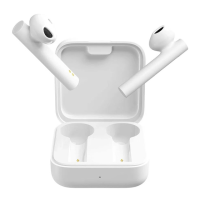
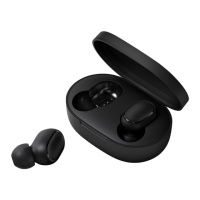
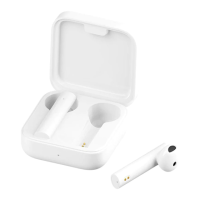
The Mi True Wireless Earphones 2 Basic are a pair of wireless earbuds designed for audio playback and communication, offering a user-friendly experience with various features for convenience and connectivity.
These earphones are primarily designed for listening to music, making and receiving calls, and interacting with a voice assistant. They operate wirelessly via Bluetooth, connecting to a variety of devices such as smartphones and tablets. The earphones come with a charging case that not only protects them but also serves as a portable charging station, extending their battery life.
The earphones automatically begin charging when placed inside the charging case. The charging case itself is charged via a Type-C port, and its indicator light shows the charging status, turning off once fully charged.
Users can check the battery level of the earphones on their phone's status bar after connecting them. The status bar typically displays the level of the earphone with the lowest battery. For Mi phone users, a more detailed battery level check for both earphones and the charging case is available. By placing the earphones in the case, closing the lid, and then opening it near a Mi phone with Bluetooth enabled, a notification will appear displaying the battery levels. This feature requires the Mi phone to be updated to the latest stable version. The charging case also has its own indicator light to show its battery status: a steady light for 5 seconds indicates sufficient battery, while a blinking white light signifies a low battery that needs immediate charging.
The earphones automatically turn on when the charging case lid is opened. For first-time use, they need to be placed in the charging case and the lid closed to activate them. When placed back into the charging case and the lid is closed, the earphones automatically disconnect from the device and enter sleep mode.
The earphones are designed to be worn in the ears, with clear left (L) and right (R) markings for correct placement.
The earphones feature touch-sensitive areas for controlling various functions:
To clear the connection history and reset the earphones, place both the left and right earphones into the charging case. Simultaneously press and hold the touch areas of both earphones for seven seconds. Release the touch areas once the earphone indicators light up in white. This action resets the earphones, clears their connection history, and puts them into a waiting state for a new connection.
After using the earphones, it is recommended to place them back into the charging case. This practice helps extend their lifespan and prevents them from being lost or misplaced.
Due to the characteristics of Bluetooth signals, especially in dense environments with 2.4 GHz electromagnetic signal interferences, occasional disconnections or sound interruptions may occur. This is a common aspect of wireless technology and not necessarily a fault of the device.
 General
| Control type | Touch |
|---|---|
| Headset type | Binaural |
| Product type | Headset |
| Product color | Black |
| Wearing style | In-ear |
| Recommended usage | Calls/Music |
| Bluetooth | Yes |
| Wireless range | 10 m |
| Bluetooth version | 5.0 |
| Bluetooth profiles | A2DP, AVRCP, HFP, HSP |
| Connectivity technology | True Wireless Stereo (TWS) |
| Driver unit | 7.2 mm |
| Ear coupling | Intraaural |
| Microphone type | Built-in |
| Battery type | Built-in battery |
| Continuous audio playback time | 12 h |
| Battery capacity (charging case) | 300 mAh |
| Battery recharge time (charging case) | 2 h |
| Battery life | 720 min |
| Charging time | 1.5 min |
| Accessories included in set | 4 sizes silicone eartips |
| Harmonized System (HS) code | 85183000 |
 Weight and Dimensions
| Depth | 16.4 mm |
|---|---|
| Width | 26.65 mm |
| Height | 21.6 mm |
| Charging case weight | 35.4 g |
| Left earpiece weight | 4.1 g |
| Charging case dimensions (W x D x H) | 62 x 40 x 27.2 mm |


 To Next Page