Sleep Mode
Place the earphones back into the charging case and close the lid,
the earphones will disconnect and go into sleep mode automatically.
Wearing
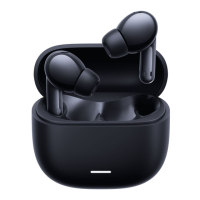
Take the earphones out of the charging case and insert them into
your ears according to the left (L) and right (R) marks.
Note: After using the earphones, place them back into the charging
case. This will extend their lifespan and help you avoid losing or
misplacing them.
Connecting
Connecting the earphones to a new device
1) Place the earphones into the charging case, press and hold the
touch area of either earphone for 3 seconds. The indicator of the
earphones is blinking white and the earphones are waiting for a
connection.
2) Enable the devices Bluetooth, then locate and connect to “Mi TW
Earphones 2 Basic”. If a passcode is requested, enter “0000”.
Connecting the earphones with a Mi phone
Place the earphones into the charging case and close its lid. Make
sure the Bluetooth function is enables on your Mi phone. Hold your
phone close to the charging case, then open the case’s lid. Follow the
on-screen instructions of the phone to connect to the earphones.
Note: The feature of fast connection is currently only supported by some
Mi phones, please update your Mi phone to the latest stable version.
Connection interrupted
When your device is out of wireless range of the earphones or its
Bluetooth function is disabled, the earphones will automatically enter the
awaiting connection mode. If the earphones are not connected to any
device within five minutes, they will enter sleep mode.
Automatic connection
When the earphones are in the charging case, opening the lid of the
charging case will automatically connect the earphones to the most
recently used Bluetooth device. If the earphones are not connected to
any device within five minutes, they will enter sleep mode.
Note: If the earphones cannot automatically connect to a device, you will
need to manually connect the earphones to the desired device via the
device’s Bluetooth settings.



 To Next Page